Skip Navigation

emaildiscussions

Members
0
Posts
12
Created
3 yr. ago

A place where you can discuss and share your love towards email. Enjoy your stay!

Reminder: Please do not use swearing or profanity on these forums.

The other forum rules apply too, so be sure to read them before posting! Thank you.

๐ŸŒ‰ bridged from !email@sh.itjust.works by Tidepool

Postfix retries a soft bounce for 5 days. Amazon SES gives up after 14 hours. Same 4xx.

A thing that trips people up constantly, and the numbers behind it are worth having in one place. ๐Ÿฐ๐˜…๐˜… ๐—ถ๐˜€ ๐—ป๐—ผ๐˜ ๐—ฎ ๐—ฏ๐—ผ๐˜‚๐—ป๐—ฐ๐—ฒ. ๐—œ๐˜ ๐—ถ๐˜€ ๐—ฎ ๐—ฑ๐—ฒ๐—น๐—ฎ๐˜†. The receiving server is saying try again later, and RFC 5321 section 4.2.1 is explicit that the client should. Mailbox full, greylisting, rate limit, transient DNS trouble. ๐Ÿฑ๐˜…๐˜… ๐—ถ๐˜€ ๐—ณ๐—ถ๐—ป๐—ฎ๐—น. Same section: the client must not try again to the same recipient. So when a platform reports a soft bounce, nothing has failed yet. A queue has opened. How long that queue stays open is where it gets interesting, because it is a local decision and not a standard. ๐——๐—ผ๐—ฐ๐˜‚๐—บ๐—ฒ๐—ป๐˜๐—ฒ๐—ฑ ๐—ฑ๐—ฒ๐—ณ๐—ฎ๐˜‚๐—น๐˜๐˜€:

โ€ข ๐—ฃ๐—ผ๐˜€๐˜๐—ณ๐—ถ๐˜…: maximal_queue_lifetime defaults to ๐Ÿฑ๐—ฑ. Retry interval runs from minimal_backoff_time 300s to maximal_backoff_time 4000s. โ€ข ๐—”๐—บ๐—ฎ๐˜‡๐—ผ๐—ป ๐—ฆ๐—˜๐—ฆ: ๐Ÿญ๐Ÿฐ ๐—ต๐—ผ๐˜‚๐—ฟ๐˜€ by default, configurable from 300 to 50,400 seconds since October 2024. โ€ข ๐—š๐—บ๐—ฎ๐—ถ๐—น: no published retry window at all. That last one deserves a note. The 45 hours figure that circulates comes from DSN message bodies quoted in forums, not from any Google documentation. I went looking properly and it is not there. If someone has an actual documented source I would genuinely like to see it. The 5 day Postfix default is not arbitrary either. RFC 1123 section 5.3.1.1, which RFC 5321 inherits, says the give up time generally needs to be at least four to five days. Practical consequence: the same address gets an 8.5x difference in second chances depending on what is sending. If you suppress on first soft bounce you are throwing away deliverable addresses on one stack and not the other. What is your queue lifetime set to, and did you choose it or inherit the default?

RFC 9989 quietly replaced RFC 7489 in May. Most DMARC documentation still cites the obsolete one.

Posting this because I only found out this week and I suspect I am not alone. ๐—ฅ๐—™๐—– ๐Ÿต๐Ÿต๐Ÿด๐Ÿต, Standards Track, published May 2026. The header line reads ๐—ข๐—ฏ๐˜€๐—ผ๐—น๐—ฒ๐˜๐—ฒ๐˜€: ๐Ÿณ๐Ÿฐ๐Ÿด๐Ÿต, ๐Ÿต๐Ÿฌ๐Ÿต๐Ÿญ. RFC 7489 is the document that essentially every DMARC guide, tutorial and vendor doc has cited since 2015. It has been historical for three months. ๐—ช๐—ต๐—ฎ๐˜ ๐—ฎ๐—ฐ๐˜๐˜‚๐—ฎ๐—น๐—น๐˜† ๐—ฐ๐—ต๐—ฎ๐—ป๐—ด๐—ฒ๐—ฑ, ๐˜„๐—ต๐—ถ๐—ฐ๐—ต ๐—ถ๐˜€ ๐—น๐—ฒ๐˜€๐˜€ ๐˜๐—ต๐—ฎ๐—ป ๐˜†๐—ผ๐˜‚ ๐˜„๐—ผ๐˜‚๐—น๐—ฑ ๐—ฒ๐˜…๐—ฝ๐—ฒ๐—ฐ๐˜: Identifier alignment was section 3.1 in 7489. It is ๐˜€๐—ฒ๐—ฐ๐˜๐—ถ๐—ผ๐—ป ๐Ÿฏ.๐Ÿฎ.๐Ÿญ๐Ÿฌ in 9989. The definitions survived intact: relaxed alignment means the Author Domain shares an Organizational Domain with an authenticated identifier, strict means they are identical. So if your runbook or your internal wiki links to 7489 section 3.1, the section number is wrong and the concept is fine. That is the whole migration for most people. ๐—ง๐—ต๐—ฒ ๐—ฝ๐—ฎ๐—ฟ๐˜ ๐˜„๐—ผ๐—ฟ๐˜๐—ต ๐—ฟ๐—ฒ๐—ฟ๐—ฒ๐—ฎ๐—ฑ๐—ถ๐—ป๐—ด ๐—ฟ๐—ฒ๐—ด๐—ฎ๐—ฟ๐—ฑ๐—น๐—ฒ๐˜€๐˜€: SPF can pass while DMARC fails, and this is not a bug or a misconfiguration. A forwarder that rewrites the return path makes SPF pass, but it passes for the forwarder's domain, which no longer shares an Organizational Domain with the From header. Alignment fails, so DMARC fails, on a message that authenticated perfectly. DKIM survives forwarding and SPF does not, because DKIM is a cryptographic property of the message while SPF is a property of the connecting IP. One caveat stated plainly: no RFC writes that in a single sentence. It is a derivation from the alignment definition plus RFC 7960 on interoperability. I would rather say that than pretend I found a quote. Links: RFC 9989 https://dub.sh/qIpjYgm RFC 7960 https://dub.sh/iioNfqn Has anyone here already migrated their internal documentation, or is everyone still pointing at 7489? https://dub.sh/zkBKfMr

New Mail-in-a-Box Instance

I'm about to start the journey to become my own email provider. I've got a domain and a Hetzner server going, got NextCloud up. Just discovered there's no included mailserver or installable plugin. The one NextCloud plugin called "Mail" recommends Mail-in-a-Box as a back end. It looks good so far. They've got a setup video. I'm no expert, but I've some experience with email DNS entries. I understand email routing well enough to fix it when other people break it. I've been using a free email redirect service called ImprovMX to forward my domain email to my gmail, and those entries will have to come out. (If you're unaware, ImprovMX is cool, its free, and I've used it with zero issues for years.) https://improvmx.com/ I know this is a really vague question, but if anyone has any advice pertaining to my little project, please feel free to comment.

mailinabox.email

New Kid on the block: AtomicMail.io Cybersecurity & Strategic Analysis (2026)

cross-posted from: https://lemmy.world/post/46687168

AtomicMail.io has recently emerged as a significant player among "next-generation" email services, specifically targeting the privacy and security-conscious demographic. From the perspective of an email security specialist, let's analyze the platform's promises of "unlimited capacity" and "free service," alongside its corporate structure and technical foundation. https://pdfhost.io/v/6VW4SA83NT_AtomicMail_io_Cybersecurity_and_Strategic_Analysis__2026_ 1. Corporate Profile and Background Origin: The service is operated by AtomicMail Systems Oรœ, based in Estonia. Estonia is a jurisdiction renowned for robust digital rights and strict data protection laws (fully GDPR compliant). Server Location: Physical data servers are located in Germany. This is a positive indicator, as Germany maintains some of the world's most stringent data privacy regulations. History: Unlike Gmail or Proton, which have decades of history, AtomicMail is a modern startup that gained significant popularity during the 2024โ€“2025 period. 2. Revenue Model: Why is it Free? While "free and unlimited" often serves as a red flag in tech, Atomic Mail utilizes the following model: Freemium Model: Basic email features are free for everyone. However, "Plus" packagesโ€” including custom domain support, professional alias management, and priority supportโ€”are paid. Prestige Alias Sales: The platform generates revenue by selling highly sought-after, short (1-4 character) email aliases through annual or three-year subscriptions. No Data Harvesting: Unlike Gmail, the company declares that it does not scan user data or display ads; revenue is strictly derived from user subscriptions. 3. Security and Infrastructure Features Zero-Access Architecture: Your messages are stored encrypted. Not even company employees can read the content without your password. Crypto-Style Recovery: During account creation, you are provided with a Seed Phrase (recovery words). If you forget your password, this is your only way back in. The company cannot reset your password; this is a massive security asset, but a total risk for those who lose their phrase. Advanced Encryption: They employ OpenPGP (4096-bit) and their proprietary Atomic Encryption (ECIES) systems. Anonymity: No phone numbers or personal information are required during registration. 4. Current User Sentiment (2026 Update) Pros (Positive) Cons (Negative) Unlimited Capacity: No more worrying about Gmailโ€™s 15GB limit. UI Deficiencies: Some users still complain about the lack of basic features like "Dark Mode." Privacy: The ability to sign up without a phone number is a major draw for anonymity seekers. Deliverability: As it is a newer domain, there are rare reports of emails occasionally landing in recipients' spam folders. Alias Support: Being able to create 10 free aliases on a single account is excellent for shielding your primary address. Mobile App: While rated well (4.3+), some features like text selection/highlighting are limited compared to the web version. 5. Technical Verdict and Strategic Advice Atomic Mail is a formidable alternative for those tired of Gmailโ€™s surveillance-based model and storage fees.Critical Warning: You must physically write down the Seed Phrase provided during registration. If you lose it and forget your password, even a skilled hacker could not recover your emails; by design, the system allows no external intervention. While it appears to be a "safe harbor" for privacy, I recommend using it for non-critical testing for a few weeks before making it your primary address. AtomicMail.io and the Thunderbird/POP3/IMAP Relationship 6. Current Status: Currently Inaccessible: As of May 2026, AtomicMail.io does not support standard POP3, IMAP, or SMTP protocols. Why? Because of the "Zero-Access" end-to-end encryption, emails remain encrypted on the server. Standard clients like Thunderbird cannot natively decrypt this specific encryption type. Solution: Currently, access is limited to their proprietary Web interface and native Mobile/ Desktop apps. 7. Future Roadmap: The "Encryption Bridge": A "Bridge" application is being developed for third-party apps like Thunderbird and Outlook. Mechanism: Much like the Proton Mail Bridge, you will install a small software on your PC that decrypts emails in the background and presents them to Thunderbird as a local IMAP/ POP3 connection. Will it be free? This remains unclear. Usually, these bridge tools are part of paid (Plus) packages. However, AtomicMail's aggressive "everything free" policy might change this. 8. Thunderbird Users: If Thunderbird integration is a "must-have" right now, AtomicMail may not be your first choice. For manual archiving, you can still export emails manually from the web interface. Direct synchronization is not yet active. Email Forwarding Analysis Based on detailed research, the forwarding feature at AtomicMail.io differs from standard services. 9. Automatic Forwarding: The free plan currently does not offer automatic forwarding to other addresses (like Gmail or Outlook). Technical Obstacle: Gaining access to an email to forward it would break the "Zero- Access" promise, as the email would have to be decrypted to be sent to an unencrypted service. 10. Aliases vs. Forwarding: AtomicMail provides 10 free aliases. These are 10 different addresses that all land in your single primary inbox. This feature is entirely free. 11. Alternative: Password Protected Messages: If you want to send a secure message, you can send password-protected emails for free. The recipient gets a link and reads the mail via a portal using the password you set. Complete Technology and Risk Analysis 12. The Metadata Reality Content: Fully encrypted. Metadata: Who you talk to, when, and the Subject line may technically be visible to the server. AtomicMail claims to keep this to a minimum, but subject lines are usually not encrypted so they can be listed. Tip: Do not put sensitive info in the subject line. 13. Is "Unlimited" Sustainable? Technical Trick (Deduplication): If a 100MB PDF is sent to 1,000 people, the system stores one copy but shows it to everyone. This slashes storage costs. Economics: They are currently in a growth phase. "Unlimited" is often a marketing tactic. A "Fair Use Policy" (e.g., speed throttling after 500GB) is likely in the future.3. IP Reputation and "Spam" Risk Risk: Anonymous and free services attract spammers. If AtomicMail's IP addresses are blacklisted, your emails might land in the spam folder of other users. Currently, their reputation is moderate. 14. Legal Shield: The Estonia Factor Estonia is a world leader in digital bureaucracy. If a foreign authority wants to inspect your emails, they must obtain a court order from Estoniaโ€”a notoriously difficult and lengthy process. 15. User Experience Details File Size: Individual email attachments are likely limited to 25MB or 50MB. Search Function: Because content is encrypted, the server cannot search your emails. Searching only works for emails already indexed on your local device. Final Recommendation: Professional Setup Strategy Primary Email Transition: Initially, test it for 3โ€“6 months with newsletters and forums. Seed Phrase Discipline: Never store your recovery words in a digital notepad. Write it on paper and keep it in a secure physical location. Own Your Domain: Connect your own domain for professional use. 2FA: Always use an Authenticator app. Final Verdict: AtomicMail.io is a "rising star" for 2026. It is a digital fortress for private communication, but one should always maintain a backup plan. Deep Technical Analysis: "Atomic Encryption" AtomicMail's "Atomic Encryption" is based on the ECIES (Elliptic Curve Integrated Encryption Scheme). Zero-Knowledge Proof: Your password never reaches the server. Instead, an SRP (Secure Remote Password) key is used. Even if the servers are breached, your password remains safe. Financial Sustainability: The Cost of "Unlimited" Venture Capital: AtomicMail is likely burning through investment capital to acquire users. Expect an "archive quota" by 2027-2028. Low Operational Cost: By utilizing efficient data centers in Germany, they maintain low overheads. Comparison: Infomaniak vs. AtomicMail.io (2026) Feature Infomaniak (Swiss Powerhouse) AtomicMail.io (Security Fortress) History Since 1994 (30+ years) Since 2024 (Modern Startup) Location Switzerland (Geneva) Estonia / Germany Focus Complete Cloud Ecosystem Pure Anonymity & E2EE Registration Requires Phone Number No Phone / Fully Anonymous Recovery SMS/Support Possible Only via Seed Phrase Storage 20 GB (Fixed) Unlimited (Campaign) Which should you choose? Choose Infomaniak if: You want Swiss reliability and don't mind providing a phone number. Choose AtomicMail.io if: You want absolute anonymity and 100% encryption. Backup and Account LimitsAccount Limits: Infomaniak usually limits users to one free account per phone number. AtomicMail has no physical link to your identity, allowing multiple accounts, though anti-abuse AI monitors bulk creations. Backup Strategy (3-2-1 Rule): 16. 3 Copies: One on the server, one on your PC, one on an external drive. 17. 2 Formats: Keep emails in the inbox and export important ones as .eml or PDF files. 18. 1 Remote Backup: Keep one physical copy in a different location. Summary: Infomaniak is like a high-security bank vault; AtomicMail is like an encrypted black box in an underground bunker.

What email service do you use for a unified inbox?

I am researching options to move to a better email client with some of my existing email addresses (namely gmail and outlook), but I am having trouble finding one that you can view both in a browser and in an app. Ideally it would be pretty low cost (free) but I am willing to pay for an exceptional one. Unfortunately at this time I can't change my email addresses.

Any ideas?

Tutanota: Easy to use and private by design

Summary

Native cross platform apps available. Paid plans enable custom domains. No third-party email clients are supported, users need to use the wide range of native apps. Based in Germany, founded in 2011.

I started my Tutanota journey 2 years back. Although it has a very simple UI but the strong security it offers means it provides strong competition to ProtonMail (a Switzerland based popular private & secured email provider). Despite the lack of features, I find it fulfill my basic needs for email and generally I do not face any huge issues using it. Their native apps work as good as their webmail and offers everything you need in an email, such as creating filters, aliases and you can even configure your custom domain -- provided you pay for a plan. They also offers catch-all for all your custom domains that translate to unlimited aliases (however you're limit only to 5 aliases, depending on the plan you subscribed, for sending emails). Pricing has to be their most attractive selling point. Anyone can pay for just $12/year for a premium account which comes with 1Gb storage, 5 aliases and a custom domain. Compared to other competitors which starts off their plan for at least $3/month, this is quite a steal! However there's an interesting twist to this, starting this month (June 2023) the price plan has been revised and they no longer offer the basic plan of $12/year, now it starts off with $3/month (if you pay annually) for a bigger storage and more aliases, along with other features such as unlimited calendars which I do not use much. In a nutshell, Tutanota still is a very good email provider if you value privacy and security, and you can even signup for a free plan which cost you nothing! The only caveat is that there's a 6 months inactivity period which means your account might be marked inactive and the only way to get in, is by paying for a premium if that's the case.

tutanota.com

Welcome to emaildiscussions

Welcome to all fellow new users! I know #lemmy is a fairly new fediverse and I noticed there is no email communities yet so I thought why not create one for us -- the email lovers. Here you can discuss anything related to email, be it private/secured email or just a fresh new email provider that you just discovered, they're all welcome! Last but not least, be sure to read the Forum RULES before you start posting. Thank you!

OnMail - An ultra-fast email service that keeps things simple

Summary

OnMail may not shine with anything exceptional, but when you need a simple email provider that just gets the job done, itโ€™s one of the best options available on the market right now. The service has a free tier that provides you with a good deal of features, though if you want to take full advantage of what it has to offer, youโ€™ll want to upgrade to the premium tier. OnMailโ€™s pricing is relatively good compared to other providers with similar features, making it a solid offer in a market that is starting to get very crowded.

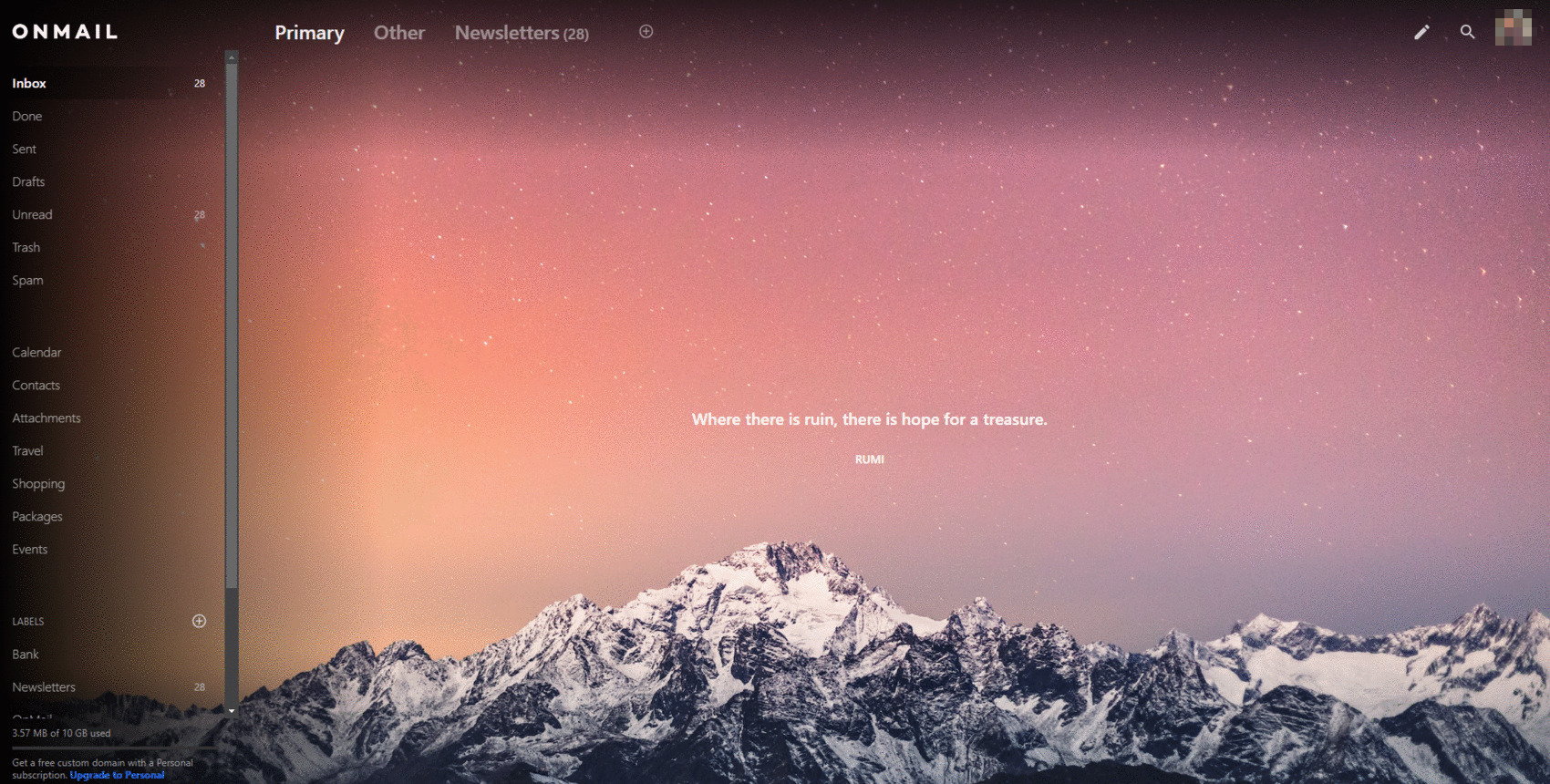
To be honest I was excited when OnMail was launched as invite-only back in April 2020, and immediately I put myself in the waiting list! After waited for several months I was finally able to signup myself an account, however it's not possible to get a username shorter than EIGHT (8) characters unless you pay for their most expensive Professional Plan which is $99/year. But if you're like me and don't mind having a longer username, then the free plan is for you, and boy it offers a lot even on the free tier. At a glance OnMail works pretty similar to HEY Email and it claims to be privacy-focused (I did not read its ToS so this is up to you if you're privacy concerned). OnMail features a "groundbreaking new feature" - screening for new senders - which ultimately protects you from possible spammers. Instead of letting anyone with your email address dump their crap in your inbox, you first have to click Accept Sender before their emails are allowed. That's pretty cool if you ask me! So when you first logged into the Inbox you're greeted with a Inbox interface with a nice dynamic background and a famous quote (you can now disable it, or change it to your own background). It's nevertheless refreshing to see some nice sceneries and rewards you because you kept your Inbox Zero! ๐Ÿ˜† image Next let's talk about my favourite feature which is called the Preview mode, where you can group all your newsletters in a split inbox and view them at a glance, which is neat! Scroll through them like you do with Facebook or Instagram, and click on any of them you feel interested or otherwise leave them there or you can also Mark all of them as done, poof, gone forever. image To be honest I've not explored all the features from OnMail because it was not my primary mail but I intended to use it more in the coming days, because it offers a generous 10Gb in the free tier and also they're privacy-focused (if you're interested in degoogling then consider this as one of your options). By the way, they've a nice mobile app which is pleasant to use and it has most of the features packed in the app, except for a few things like filters where you need to open your desktop browser to create or modify them. Worth to note that the mobile app is still actively maintained and the last update came yesterday! In a nutshell, from the last couple days of usage I'm pretty satisfied with OnMail hence I feel the urge to attract more users to try OnMail as I want it to survive and excel, just like the big guns

www.onmail.com

What email(s) do you use?

Let me start off this community with the most anticipated question ;-) Which of the following emails do you use? and why?

 
Gmail
Hotmail
Yahoo Mail
FastMail
ProtonMail
Tutanota
Mailfence
StartMail
Posteo
mailbox.org
Skiff Mail

If you're not familiar with some of them, that's great as you can start exploring them! Most of them offer free account albeit some of them are fremium based, so why not give them a try!

Forum RULES

RULES OF THIS FORUM You must agree with all the following Rules to participate on these Forums. If you don't agree with them, please don't post! MOST IMPORTANT: POLITENESS These are "family-friendly" forums visited by people of all nationalities, races, ages and backgrounds. These rules (and especially the rules on politeness) are intended to maintain this "family-friendly" atmosphere. โ€ข Keep the tone and content of your posts respectful and polite (even if you're angry about something). โ€ข Rudeness and vulgar language have no place on these forums. โ€ข Do not attack, harrass, threaten or insult other forum members or email service representatives, either in public or via PM. โ€ข Do not try to get around the "profanity filters". THE OTHER RULES B) Moderation decisions are FINAL. If a post has been edited or deleted, a thread locked, a member or service banned etc., that particular issue is closed. Do not post to debate moderator action or to second-guess potential moderator action. C) No advertising, and no private message spam. No affiliate links. D) If you represent an email service provider, make this clear in your very first post. Do not pretend to be a "satisfied user" if you in fact work for the service you are discussing as this type of deceit will result in both you and your service being banned. E) No signatures [except optionally your name] F) No discussion of illegal activities [hacking, software piracy, theft etc.]. No links to illegal activities, or information on how to find sites that discuss illegal activities. G) If you have an email problem or question, be as specific as you can. What happened? How did it happen? What service were you using? The more information you provide, the easier it is for other forum members to help you. H) Do not post the same information two or more times to different Forums (no "cross-posting"). I) Stay on topic. Use the Off-Topic forum for discussions unrelated to email! J) Post to the most appropriate forum. Fastmail, Runbox and Gmail all have their own forums, so if your post relates to one of them, please use their forums. K) No references to adult sites, or links to adult sites [including Profile links]. You will generally be banned without a warning for breaking this rule. L) No discussion of religions or religious philosophies, cultural differences, sex, sexual orientation, freedom of speech, politics and governments. No links to sites or pages specifically about these topics. M) No sexism or racism N) Do not ask other Forum members for any personally identifiable information (their full name, their address, how old they are etc.) either publicly or via PM, unless they volunteer that information themselves. O) Don't post copyrighted content (e.g. news articles) without the permission of the copyright owner. Post the headline, and link to the article instead, or post a brief excerpt. P) The Off-Topic Forum is for discussions about non-email topics that would be of interest to the general membership. As long as topics adhere to all of these Rules, this can include anything that is not very personal in nature. Issues and problems you would normally discuss with your doctor, psychologist, religious/spiritual leader, guidance counsellor, lawyer, or close friends and family members do not belong in the Off-Topic Forum, or anywhere else on this site. Q) When in doubt, DO NOT POST! R) Finally, ignorance is no excuse. It is a requirement of Forum participation that all members read and agreed with these Rules. It's a total waste of time saying "I didn't read them" after an issue is raised!