Skip Navigation

User banner
iOSProgramming

Members
0
Posts
33
Created
3 yr. ago

A community to discuss iOS, macOS, watchOS, tvOS, and visionOS development. Ask questions. Share articles. Share links to open source projects. Links to commercial projects are acceptable if it is not self-promotional in nature.

For now, it is okay to ask for feedback on an app. Please be considerate and do not spam the community.

Quick Links

๐ŸŒ‰ bridged from !ios_dev@programming.dev by Tidepool

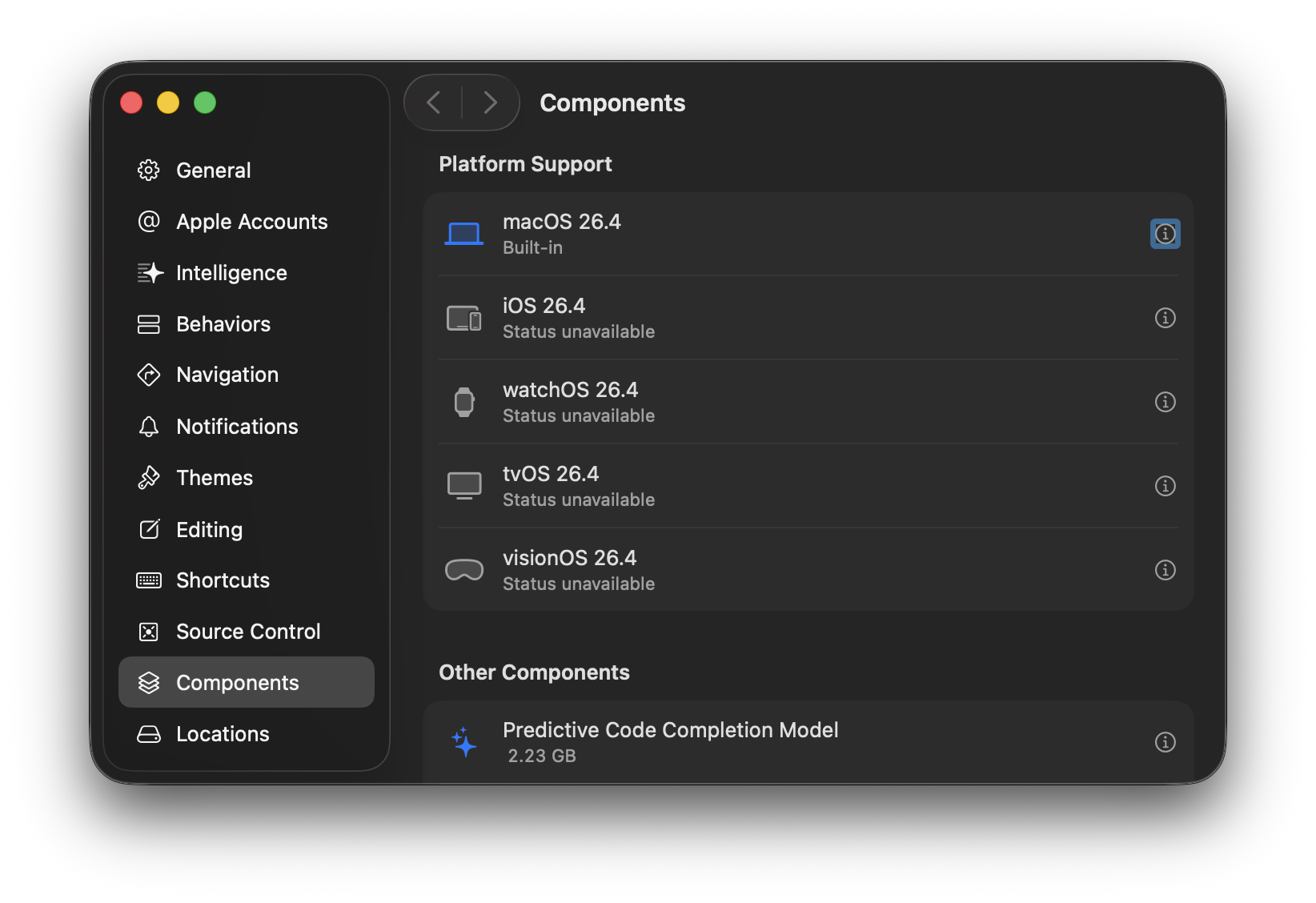
How to fix Status unavailable in Xcode Components?

cross-posted from: https://eventfrontier.com/post/3318203

I recently upgraded to Xcode 26.4. However, whenever I go to download the iOS, watchOS, tvOS, and visionOS platforms, it says "Status unavailable". I tried to uninstall Xcode. I tried to delete ~/Library/Xcode and reinstall Xcode. I restarted my computer. I tried to install it using Xcodes.app. I also tried the following command: xcodebuild -downloadPlatform iOS. But that gave me the following error:

 
Finding content...
Unable to connect to simulator.

I also looked at this repository (https://github.com/filsv/iOSDeviceSupport) to see if I could manually download the files and move them to the correct directory, but they don't have the recent files. I'm really at a loss for what to do next here. How can I fix this and download the platform support files? Screenshot of Xcode Components Platform Support showing "Status unavailable" for each platform

An open source Swift package to obfuscate sensitive data

A highly configurable and performant tool for obfuscating Swift literals embedded in the application code that you should protect from static code analysis, making the app more resistant to reverse engineering.

Simply integrate the tool with your Swift package or Xcode project, configure your own obfuscation algorithm along with the list of secret literals, and build the project ๐Ÿš€

Swift Confidential can save you a lot of time, especially if you are developing an iOS app and seeking to meet OWASP MASVS-RESILIENCE requirements.

github.com

Overview of Apple Accessibility Nutrition Labels for App Store

Cross-posted from : https://programming.dev/post/34733176

"The Accessibility Nutrition Labels help users learn if an app will be accessible to them before they download, and give developers the opportunity to better inform and educate their users on features that their app supports. The labels appear on the app product page and will help users understand if they can use a feature like VoiceOver or Larger Text to complete common tasks in the app."

developer.apple.com