Linux introductions, tips and tutorials. Questions are encouraged. Any distro, any platform! Explicitly noob-friendly.
🌉 bridged from !linux4noobs@lemmy.world by Tidepool

Linux introductions, tips and tutorials. Questions are encouraged. Any distro, any platform! Explicitly noob-friendly.
🌉 bridged from !linux4noobs@lemmy.world by Tidepool
Issues with multiple monitors and Bazzite on a 9070XT
Hello all, I've been using Linux on my main PC for a couple years now but still barely know what's going on. After a few weeks / months of not using my PC much I began heavily using it again recently. The first day or two I ignored the messages about updating the system, but afterwards decided I should probably do so. Boy, was that a mistake. In addition to the partitioning issue, my monitor setup seems to be causing problems as well. I have one each 1440p 60hz, 1440pUW 144hz, and 1080p 60hz monitors, all worked as expected before the update. I also have my 4k TV plugged into it; the GPU doesn't see the TV when it's off, but when the TV is on all 4 screens worked as expected. After the update, only two video outputs will work at a time. I've already unplugged the TV, and if I have all three monitors plugged in, only the 1440p and 1080p work, the 1440pUW loses signal and turns off. Unplugging either the 1440p or 1080p monitor will usually get the 1440pUW to turn back on, but sometimes I have to unplug and replug the 1440pUW to get it back. Startup is heavily effected as well; it was already relatively slow before the update, but now it seems Bazzite is spending a lot of time figuring out what my monitor situation is before giving me a login screen. During the boot up process my PC will usually output to only one monitor (it randomly chooses the 1440p or 1440pUW), but after the Bazzite logo shows it jumps back and forth between the two for a while before finally outputting the login screen to both (at which point my main monitor has began to go to sleep, so I have to wait for it to sleep, see the signal, and wake back up to log in). Sometimes it hangs during the "jumping around" process and just says "Loading bazziteOS" on one screen but nothing happens; it never failed to boot before. When it does this, it will usually continue to do so (even if I hard reset the PC) until I unplug one monitor, let it boot to log in screen, then plug in the second monitor. • Operating System: Bazzite 45 • KDE Plasma Version: 6.8.2 • KDE Frameworks Version: 6.31.0 • Qt Version: 6.11.2 • Kernel Version: 7.3.3-ogc1.1.fc45.x86_64 (64-bit) • Graphics Platform: Wayland • Processors: 16 × AMD Ryzen 7 5800XT 8-Core Processor • Memory: 32 GiB of RAM (31.2 GiB usable) • Graphics Processor: AMD Radeon RX 9070 XT • Manufacturer: Gigabyte Technology Co., Ltd. • Product Name: B450M DS3H
Issue with display to television
About a year ago, I bought an Intel NUC mini pc for my wife with the intention that she could take it with her to work and we could play simple games passively, with ideas that it could be used for a media station or gaming station in the future.
It shipped with windows. Given our technological environment, I also saw this as an opportunity to dive into Linux. I installed Mint first and messed around for awhile before I had performance issues when plugged into a larger tv. It seemed to have zero issue plugged into a normal computer monitor. I ended up building my wife a different computer with spare parts from friends and stuff I had lying around, so the mini PC became just mine to mess with.
I ultimately landed on CachyOS as it seemed to be the smoothest when I'd use the machine to game. The only problem is that I'd like to use this in my living room on the TV, and it just displays a black screen there. My monitors however work fine.
When I turn it on the TV, it displays the Intel NUC screen and shows Limine, but when I select linux-cachyos, it displays black. If I then plug it into a monitor at this point, the display shows normal, so I know it is pushing the display, but the image is not showing on the TV.
I'm definitely looking for a resolution, but also just curious why it would be different for a television vs a monitor at the hardware level. I've tried three different televisions and used two different monitors. I only have this issue on the TVs.
I am aware I'm not explaining this problem as concisely as I'd like. If you have any questions about what I'm trying to fix here, I'd love to clarify.
Can I update now?
Several days ago, I tried to update my CachyOS system. And seen the below warning from Pacman itself
Update notice: Kernel 7.3.0-2 has issues with amdgpu particularly causing black screen on AMD dGPUs
At first, I was like gonna do the update, because I don't have an AMD CPU/GPU. Then I went to check on the internet and found lots of issues with both Kernel 7.3 and KDE Plasma 6.8.1. Even affecting NVIDIA GPU. Not every link I shared is completely relevant to me, but the amount of issues on Kernel 7.3 and KDE Plasma 6.8.1. Even affecting NVIDIA GPU made me hesitant. Because of this hesitation, I also didn't update Firefox CA-Certificates security update. Should I update now?
Learning to set up a server help
I'm looking to start my own server, and was going to dive into YouTube tutorials. Do you have any recommendations to offer?
Service wise, I wanted to start with a pi hole, and maybe a music server or something to store pictures from my phone. Maybe host my own ss14 server too!
Hardware wise, i was going to start with a raspberry pi (of some sort?)
Any tips, references, or suggestions are greatly appreciated ❤️
Questions about NVIDIA GPUs and HDR from a pre-Linuxer
As I understand things, or least how I've understood them over the last year or so, NVIDIA GPUs are comparatively less-supported on Linux than AMD ones. Is this still the case, and if so, is there hope for near-future improvements in this department? Has NVIDIA made any moves that indicates they're gonna try to make things better in terms of drivers? And out of curiosity, what is it that AMD has done that NVIDIA hasn't? Is it really just down to the drivers?
On a similar topic, how is HDR support on Linux? I've read that Wayland has support for this (I sound like I know what Wayland is, but I really don't) but that streaming services and DRM-protected content won't work with HDR. I personally don't care about the streaming side of it, I'm more concerned about gaming and watching local video files or 4K Blu-ray discs (I use a tool to strip out the DRM from such discs on-the-fly, so no worries there).
So, in sum (and to make it easier to reply!):
Thank you kindly!
Bazzites Adguard DNS setup
I run a pihole and use ublock origin in my browser so this normally doesn't come up. But I'll be traveling for about a week and would like to use Adguard (which I pay for) on my bazzite system. I tried following the instructions on adguard's website but when I run the command in terminal I get a message saying the bash command is not found. I assume this is because generally bazzite doesn't run bash commands.
I'd like a detailed explanation of how to get this running if anyone has it, or a guide I can follow.
Thank you in advance.
Can you suggest some good tutorial for vs code ?
Looking up the search bar gives too many choices, considering the fact that I am a complete beginner. I need to narrow down on what I am using vs code for. I shall be working with git. So the tutorial ought to start right from beginners and flow towards using git.
Does QEMU help me create a virtual Linux system in my Windows 10 machine ?
I wish to switch over to Linux, but the only machine l have at my disposal is my brother's windows 10 laptop. Does QEMU help me create a virtual Linux system on this machine ?
I'm fine with using traditional package managers, is there any benefit to using Flatpak?
I went to install some software today (Gradia) which is only available via Flathub apparently, the install size is larger than my distro which feels like a bit much for a screenshot tool. What's the deal with the massive size of Flatpaks and is it really worth all the extra space? 4GB per application?
Lock up problem
Hi guys, been having a problem for a week now in fedora 43.
After half an hour of light use, my kde keyboard starts crashing at regular intervals, the taskbar is unresponsive, and the shutdown greeter will crash if i try to restart or shut down. I have to power cycle the system to turn it off, not the best.
Looking for anyone also experiencing the problem has not yielded any hits, so I'm posting here 😅
Thus far i have tried: -Restarting -Disabling Firefox video decoding (closest fix i could find in searches) -Rolling back to my previous Friday backups
The issue persists 😓
I don't know enough about Linux to troubleshoot the problem effectively 😅
Bazzite but mutable?
The number of issues I've been having with Bazzite, due to its immutability and my lack of experience, has finally reached the point that I'm no longer willing to deal with.
But I like basically everything about Bazzite, aside from its immutability, and I'd like to preserve as much of it as possible. In particular, I like KDE/Plasma (right?) way more than I liked Cinnamon on Mint, and the whole reason I gave Bazzite a try over Mint was that it supposedly was better for NVidia gaming. Which has absolutely been true, all the minor performance issues I was having on Mint vanished under Bazzite.
So, thoughts and recommendations? Thanks in advance.
———
Since I'm sure some nerds like me will want to know WHAT issues I've been having, the most significant ones would be....
• I've hit a dead-end with trying to setup multiple audio sinks, so I can do what's been standard behavior in Windows for decades and use both my speakers and headset separately, at the same time, per-application. There's basically only ONE source of info on how to do this, and it's written for mutable distros, as it apparently involves doing some firmware config mods or something. • I've had quite a lot of issues with getting JetBrains Rider and the .NET SDK to work properly with each other, ranging from the inability to get .NET 10 installed, since Rider's flatpak only includes up to .NET 8, and there IS no flatpak for the .NET SDK itself, to getting .NET CLI tools to run properly from Rider, due to the sandboxing. • I was looking to install GameMaker to continue a little side project I started on Mint, and it's not available on flatpak, nor can I find any wisdom on how I might work around that fact.
Audio Codecs for Firefox in Bazzite/Fedora
I have been able to see online that the problem I am having is a known one where the Firefox flatpak needs version 23.06 ffmpeg-full as a dependency.
I cannot for the life of me figure out how to get this working and as a result Firefox audio stutters significantly on every website no matter what settings I change or what extensions I turn on and off.
I at first assumed this was a problem with my extensions and went through a pretty hefty troubleshooting session that got me pretty much nowhere.
I have attempted to install the proper codecs via the terminal and the system says those codecs are already installed.
I'm at a loss here. If anyone knows an answer or at least an avenue to help me get this solved, I'm all ears.
Device: ROG Ally X OS: Bazzite/Fedora updated fully to the most recent update released.
KDE Touchscree/Tablet Enhancements
Greetings Lemmings,
I am not sure when touchscreen/tablet mode stuff was enhanced with KDE, I am guessing somewhere between 6.4.x and 6.6.x but I am quite pleased with this.
I couldn't find a good touchscreen compatible keyboard for the random times I used my Lenovo Yoga in touch mode, but somewhere along the way KDE was updated with some enhancements to touch mode.
I didn't know it until today that screen rotation was not an issue for my tablet mode either. I discovered it completely by accident.
Prior to this I had written a script I mapped to a hotkey to rotate the screen before switching to tablet mode.
This was such a wonderful surprise, so for anyone else looking to use KDE with their touch compatible devices I highly suggest trying it again.
Hello.
I just switch to Linux mint from Windows. And I found that there is some software that are preinstalled that does the same that what I would have installed myself.
For example, I use qbittorent and there is something called "Transmission" that does torrenting. I use VLC for video playing and there is something called "Celluloid".
Are the software preinstalled on Mint generally good at what they are doing and beginner friendly? Should I check for Linux version of the software I use on Windows or rather experiment with what is here?
Thank you for your help.
Mint-Arch migration led to unmountable drive
Just installed CachyOS and the drive I used alongside system drive for media\archive storage can't get mounted anymore. It's internal HDD and uses NTFS, I created it on Windows 10 years ago and used all this time from under Mint (no dualboot, only Mint). I did a regular reboot before OS switch and didn't even mount it this time. While trying to access said drive, dolphin prints that:
An error occurred while accessing 'drive', the system responded: The requested operation has failed: Error mounting /dev/sda1 at /run/media/user/drive: wrong fs type, bad option, bad superblock on /dev/sda1, missing codepage or helper program, or other error
Where can I start my fixing journey? Where I can look for precise reason it fails? All components are 5-10 years old if it matters. The other HDD that I formatted under Mint works just fine. It's probably a CachyOS vs NTFS problem. [new] I succeed at force-mounting it via ntfs 3g, but it seems it really was a problem with a bad block or something originating from windows. Checks were passed with 0 errors, so I assume it's a little funni M$ gave me with a divorce letter. Instead of finding a way to force-mount it every time, I tried checking it via WinPE, and it helped remove the cause of errors. I'm yet to understand what is really behind that, filesystem differences and how OSs work with them, so if you have good articles, please share these.
I guess I borked my System
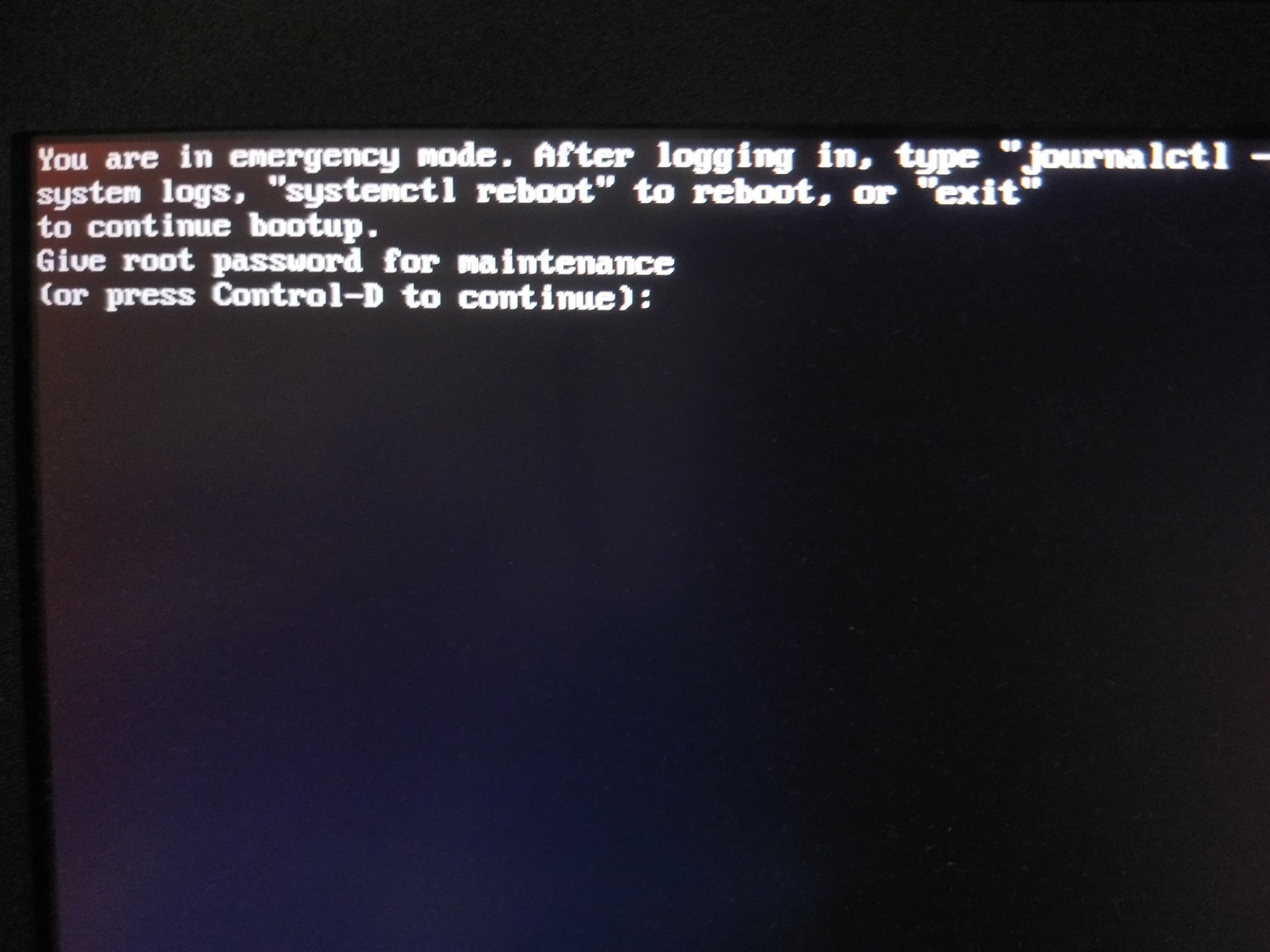
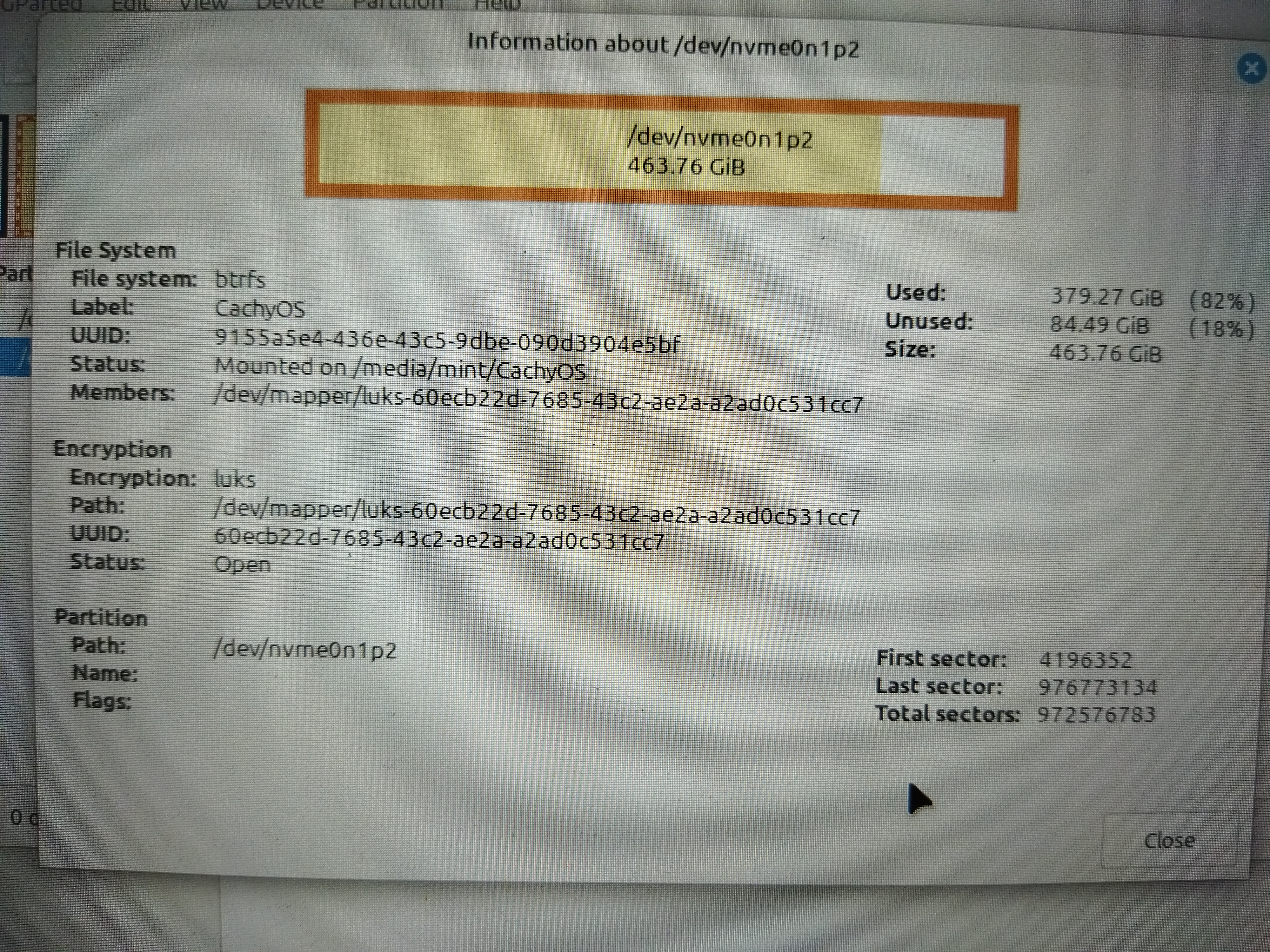
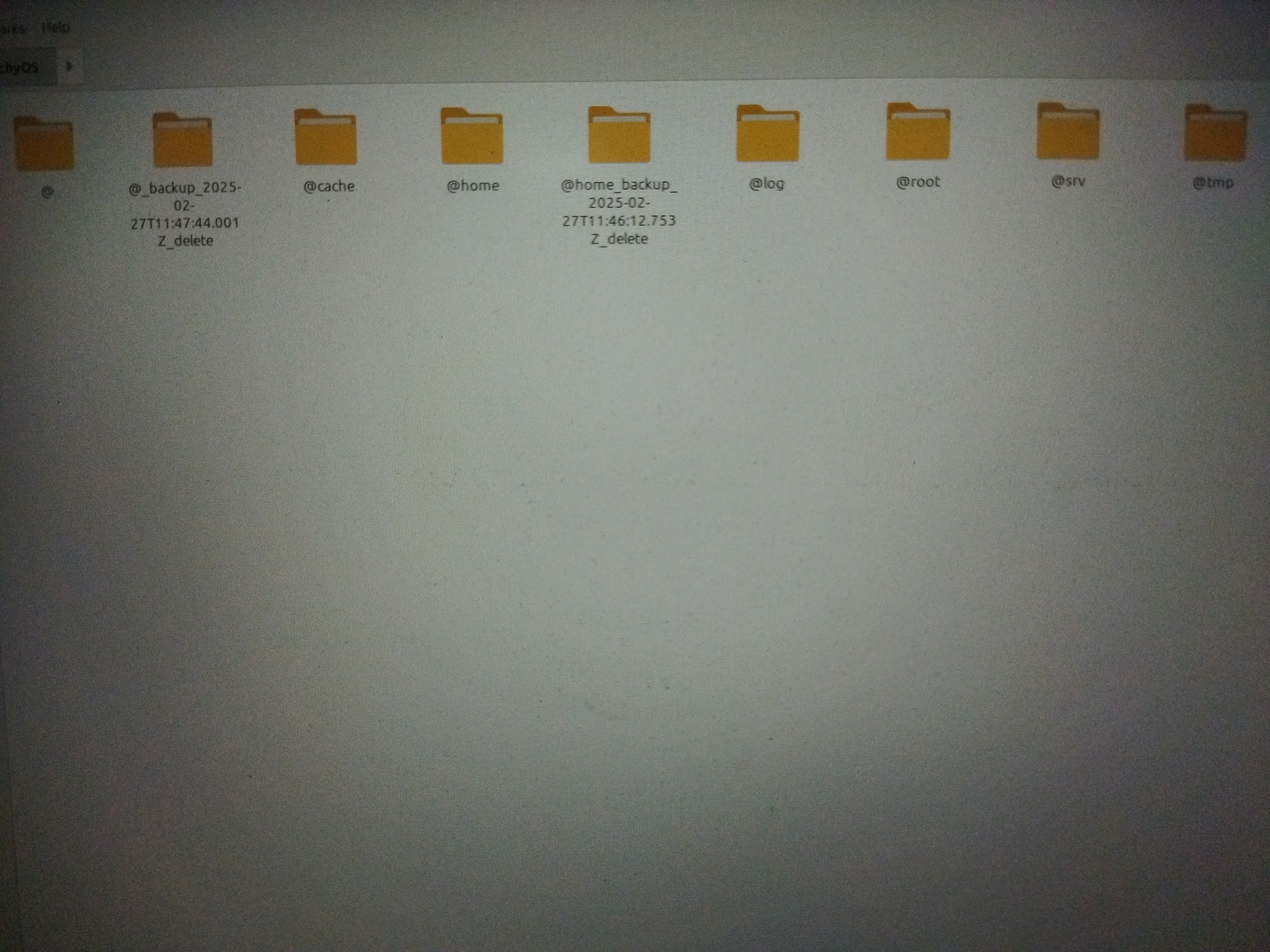
Context: I updated my CachyOS (Arch) BTRFS system. Some new things caused few problems especially brave browser(missing tabs), some icons missing. So I wanted to go back to previous snapshot. What I did: I first restored my home subvol which I saved before update. I worked. Then I tried to restored my root partition. This is where I got the problem. I got this error. 1001090084 I would really appreciate URGENT help If you need any more details I can provide.
1. I used BTRFS Assistant to restore the root partition. And I did it while the OS is running.
( I previously did that and got no issues )
2. I pressed crtl+d and got 👇🏽
image
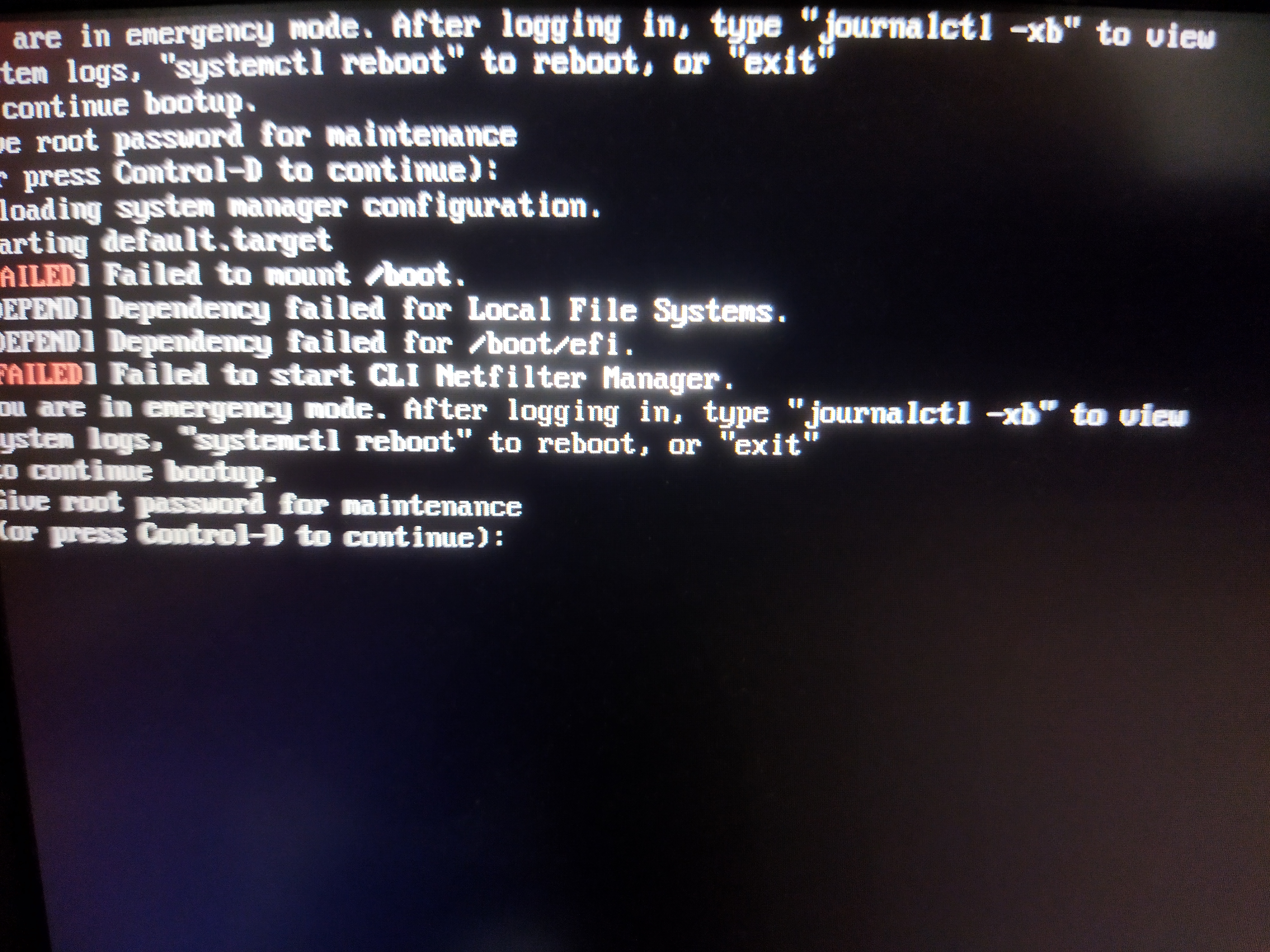
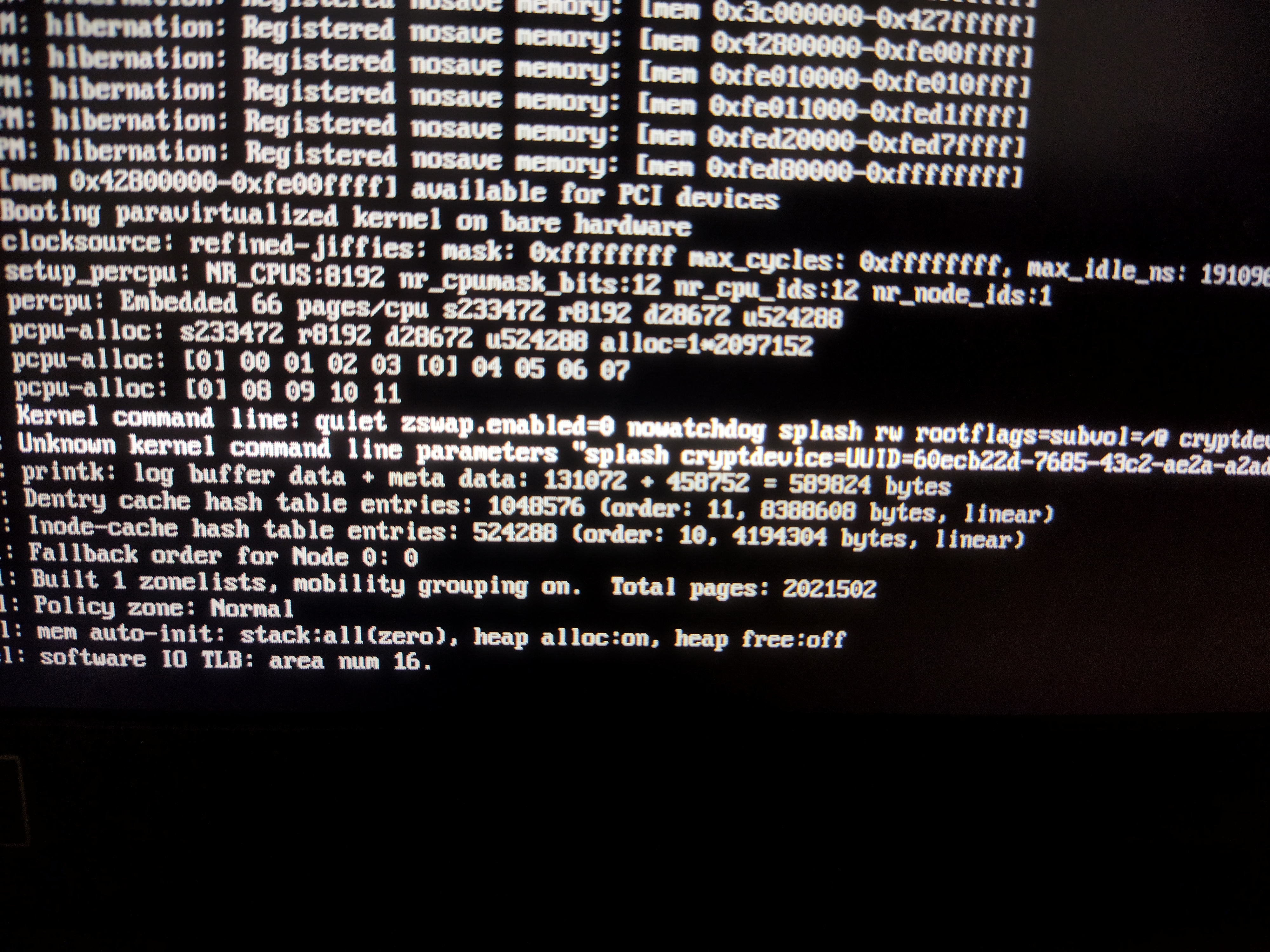
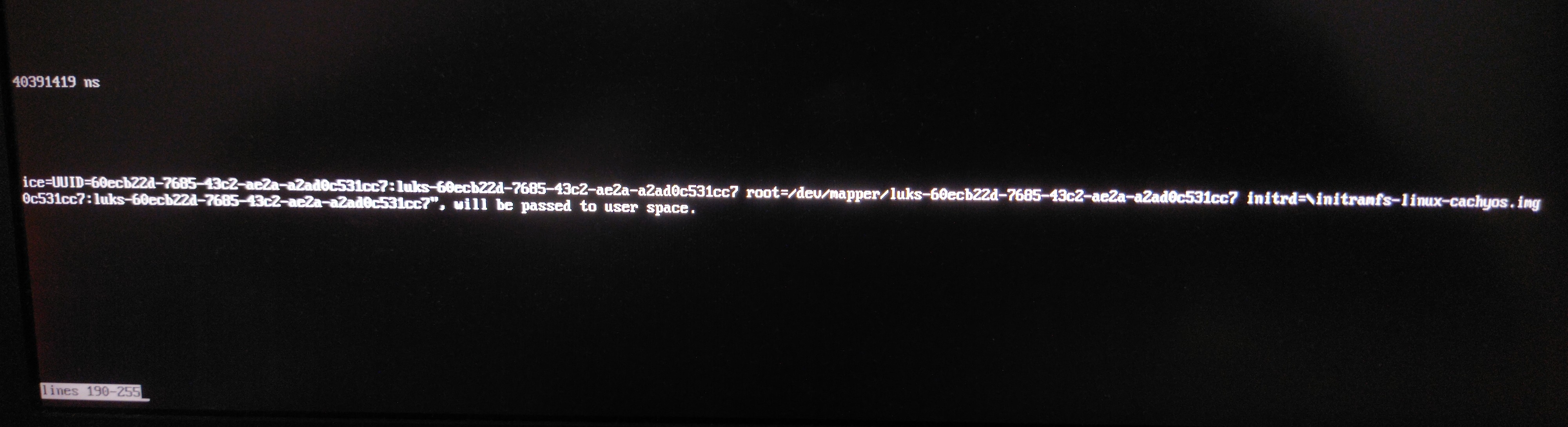
3. I typed my password and went into maintenance. Typed journalctl -xb and got 2667 lines 😵💫. While scrolling mindlessly, this looked like something 👇🏽
image
👉🏽
image
👉🏽
image
4. This is my refind_linux.conf 👇🏽
"Boot with standard options"    "quiet zswap.enabled=0 nowatchdog splash rw rootflags=subvol=/@ cryptdevice=UUID=60ecb22d-7685-43c2-ae2a-a2ad0c531cc7:luks-60ecb22d-7685-43c2-ae2a-a2ad0c531cc7 root=/dev/mapper/luks-60ecb22d-7685-43c2-ae2a-a2ad0c531cc7"

"Boot to single-user mode"    "quiet zswap.enabled=0 nowatchdog splash rw rootflags=subvol=/@ cryptdevice=UUID=60ecb22d-7685-43c2-ae2a-a2ad0c531cc7:luks-60ecb22d-7685-43c2-ae2a-a2ad0c531cc7 root=/dev/mapper/luks-60ecb22d-7685-43c2-ae2a-a2ad0c531cc7" single

"Boot with minimal options"   "ro root=/dev/mapper/luks-60ecb22d-7685-43c2-ae2a-a2ad0c531cc7"
5. This my OS partition 👇🏽 image 6. This is my subvol layout 👇🏽 (CachyOS default) image
Question about AMD GPU drivers on Fedora 42
I am having a problem with my Linux desktop and hoping this community can help. The hardware is only about a year old: CPU: AMD Ryzen 7 7800X3D, GPU: AMD Radeon RX 7900XTX. I am running KDE Plasma 6.4.4 on Wayland. My distro is Feodra 42, and I keep up with regular updates. Kernel version is 6.15.9.
Lately, I have been getting a flicker of horizontal white stripes occasionally coming across my monitors. It does not seem to matter what the program on the screen is. They're not making it impossible to use the computer, but it is very distracting when it happens. I am also worried that it may be the hardware failing, but I am hoping it's just a driver issue.
Is this a known issue with AMD drivers? Part of my concern is that last year I installed amdgpu and rcom from the AMDGPU and ROCm repos to play with AI models locally. Now I am wondering if that is messing with my video drivers. How can I tell which ones are being used? If I want to go back to the stock drivers, do I just uninstall the amdgpu package with dnf?
VLC and Elisa (music player) skip while playing MP3s
Howdy,
I have been experiencing annoying brief skips, like on a bumped CD player, with my media players. Replaying the same song or same part of the song does not have the skips, so I don't think it's the files' fault.
Had the same problem in Elisa and VLC. I don't watch much local video, but streaming audio and video doesn't have this problem for me.
Watching the system monitor I see I have 10 Gb of free memory and only 5-10% CPU utilization.
System is Debian 12 with KDE and Xwindows. (Wayland doesn't like my Nvidia 1070)
Any suggestion for how to troubleshoot would be appreciated. I tried downloading more memory but that didn't help!
Q: how to set a file's mtime to match its own ctime/btime?
I've tried various versions of these: FILENAME has spaces
touch -d "$(stat 'FILENAME' | grep -oP 'Birth:\s+\K\d{4}\-\d{2}\-\d{2}' | sed 's/^/"/;s/$/"/')" $(echo 'FILENAME' | sed 's/^/"/;s/$/"/')FILENAME has no spaces
touch -d "$(stat 'FILENAME' | grep -oP 'Birth:\s+\K\d{4}\-\d{2}\-\d{2} \d{2}:\d{2}' | sed 's/\-//g;s/://g;s/ //')" "FILENAME"the former returns error about wrong time format.
the latter ended up setting the mtime date to May 10 2446 (at least the millennium is right....) i can't even figure out how the numbers would rearrange/misread to get that from desired Jan 6 2025. So i assume it was read as some kind of offset from 1970 but I don't know enough to use that info to my advantage.
when i echo the commands, the formatting and syntax seems to match examples in the web. so I'm lost.
and I can't seem to find specific docs about
touch vis-à-vis what time format is accepted and details of syntax.
btw I'm ND, and can't mentally process manpages docs, at least not dynamically enough to use the info in original or niche situations without also having stackoverflow or other q&a pages with directly relevant examples. ND/OCD is also why i need to sort files by mtime specifically. "just sort it by ctime" is not an option.
anyone who replies, thank you very much.
 View on lemmy.world