A community for screenshots of all of your *NIX desktops, themes, and nifty configurations
🌉 bridged from !unixporn@programming.dev by Tidepool

A community for screenshots of all of your *NIX desktops, themes, and nifty configurations
🌉 bridged from !unixporn@programming.dev by Tidepool
Familiar
New theme release on https://github.com/szorfein/dotfiles
OC by @Szorfein@lemmy.ml
Espresso - a custom Linux distro
Espresso is a Linux distro for x86_64. It's based on uClibc-ng, toybox, mksh, and a custom package manager named bean written in C. Details • Distro: Espresso (my own) – https://site.charliesmp.net/espresso/ • libc: uClibc-ng • Userland: toybox, mksh as /bin/sh • Init: a shell script (/init + /etc/rc), no systemd or udev; hotplug via smdev + nldev • Package manager: bean (C99), signify-signed packages • Compositor: yawc on neuswc (Wayland) • Terminal: st-wl, with tmux • Info: fastfetch with the Espresso cup logo • Wallpaper: white clover Source: https://hg.charliesmp.net/bean
After the recent firerfox update it pretty much destroyed my css, now I spent 10 hours created the squarest and ugliest firefox css known to man just to spite rounded corner design
It started from a broken search bar then when I tried to fix it something else broke, then it became the most annoying whack a mole game of all time so I removed everything and start from scratch.
OC by @ColdWater@lemmy.ca
Noctalia+Niri Sunset Sarsaparilla Theme
image image Censored out some PII. The Desktop cycles through a bunch of different Deimos Fallout New Vegas art. If you don't know the artist they're awesome: https://deimosart.com/ I'm pretty in love with the way my computer looks now lol. Even the Plymouth theme is a Sunset Sarsaparilla thing I made
Niri - No gnome/gtk
xdg portal here is not gnome or gtk, it's kde it the screenshot are • waybar • alacritty • btop • zed • dolphin Also installed are • mako • fuzzel • and kde apps
OC by @variety4me@lemmy.zip
Somehow, somewhere, I've done something terribly wrong.
This is absolutely 100% real. I am ashamed at my actions.
bbLean is cool though.
Go ahead, sharpen your pitchforks. I've been learning windows, there's no pain worse than that.
Average SeaMonkey Enjoyer
I love retro aesthetics :3
Nothing to see here. Still in XFCE. But my st theme's still nice warm colours.
On the left pane, I issued
for i in (brl list | egrep -v bedrock) ; echo $i | toilet -f future -t $argv | lolcat ; strat -r $i neofetch ; end
(That's fish btw.) (And yes, neofetch, because I don't yet know how to get fastfetch to respect the strata.) IIRC, the details on this, a couple years old system since last reinstall of the OS: Hijacked MX, imported AntiX and Artix, fetched the gentoo, devuans and void... package counts not too misleading about what's getting used most, once looking past which came with a fatload preinstalled (MX & AntiX), and which split their packages more causing a bigger number (all the ones based on debians and devuans). Void's my first go-to for any package. Gentoo for when I want to get fussy (e.g. for Gimp or Emacs), the devuans generally for stability, and for what I can't get from void or gentoo. And artix just for the AUR... which I'm currently on pause from using, after being extra careful to gut out anything that could even be remotely afflicted by the recent several bursts of malware attacks. But, besides there being more devuan than gentoo this time (only the one active gentoo stratum? :O), this is a fairly typical daily driver setup for me... Frankly, it has not changed much for about a decade or more. I've got it dialled in, how I like it. With my 4 cornerstones. Void, Gentoo, Devuan, Artix.
And, before anyone has a [love, or hate] fit about the font (~ 6pixel in st, just for the screenshot to fit it all in ~ my eyes are not that good any more, bigger (12pix I think) in the date, top right), it's called nztt, and is my fave one of many I made a while ago, as part of what had became known as dbtfc ("Digit's Big Tiny Font Collection"). Maybe there are a silent indifferent majority, but most of what I hear are the reactions at the extremes, to nztt. It's genuinely my daily driver, most places. ... Not on web pages though... nztt's designed to maximise vertical space while still being comfortably readable (at least to my own peculiarity of dyslexia), and thus breaks the layout of a lot of websites expecting letters twice as tall with 10 times the vertical space wasted. It's ttf, not a true pixel font, but it is designed to best fit at 6, 12, 18, etc pixels size. Largely inspired by "clean" font, old 80s screen fonts, and my other explorations into tiny fonts.
I'm still in XFCE on this T495 Thinkpad. I had intended to switch to using my wminizer script, populated with a standard 2 wmrotate scripts, the first populated with just xmonad, dwm, and herbstluftwm, and the other, the same, but also with openbox. But I've always had things on here, never found a nice moment to interrupt things. ... The irony. This would be a non-issue with wminizer. But I've not yet done the first restart of X11 to get it running wminizer. So [even though I've already changed the config, ready to go] I'm stuck in that predicament that I wrote wminizer to be able to solve. XD [PS, I'm burned out and left my repos in a terrible janky way, even by my scruffy standard... like the tagline on my codeberg profile says: "My stuff's scruffy. Don't use it."... ... though, if you don't mind fiddling around past my jank... wminizer is availing a very cool ability to have: Can change your wm without restarting X11, keeping everything running, and, can change the list of which wm you can switch to, too, keeping everything running uninterupted, without restarting X11.] Nothing much fancy done to the XFCE. Didn't intend to stay. Made the bar nice and tight, how I like it. Only in recent days, (after months... years(!??) lingering in XFCE), I moved it to the top, to try, to see if that would be less annoying, fewer times of its pop ups from mouse overs on the taskbar buttons getting in the way of the things i want to click (e.g. active erc buffers listed in my mode-line in emacs). Should be fewer things up top that I'd want to be clicking where it shows. Mostly just the window bar there.
And so, that's why there's nothing much to see here. In the typical eye-candy unix porn sense. But... the eagle eye'd may have spotted the one tid-bit of show-and-tell that may excite some, perhaps as much as 1-10% as much as it excites me, highlighted in the right pane. ... two things in a way. 1st, there's bpt! And 2nd (the main excitement for me), in bpt, there's the htop fork, with the stratum column! A few years back (I forget when... 2019?) I had been musing various ways (in my own janky limited-abilities-and-knowledge way) to get strata info on various system info tools [[[(see doodle drop down example)]]], and mentioning my own fledgling flailing failing efforts. And then paradigm surprised me one day, (iirc) simply saying "Happy Christmas", and presented a link to a version of htop (that he had made) that now had the stratum column. :) After a while, my continued use of it became contingent on me maintaining its old deps manually (~ and certainly, any efforts of mine to maintain patching for newer htop and deps, failed early fast and hard). And eventually, I failed managing to even maintain it... and so, for a few months or so, I'd become without htop with a stratum column. And so went back to trying to hack up my own solutions...
function psbr2
    # 1. Snapshot the entire output exactly once
    set -l ps_data (ps aux)

    # 2. Print header with the new column
    echo "$ps_data[1] STRATUM"

    # 3. Process each process line
    for line in $ps_data[2..-1]
        # Split by whitespace, automatically collapsing multiple spaces
        set -l fields (string split -n ' ' $line)
        set -l pid $fields[2]
	# Resolve stratum for this specific PID
        set -l strat (brl which $pid 2>/dev/null || echo "-")
	# Append the stratum to the original line

    echo -n "$line" ; set_color red ; echo " $strat" ; set_color normal
    end
endand then came paradigm again, now in 2026, with bpt this time, populated with... htop! (and 9 other packages, but meh, the htop with stratum column's the real highlight among the libs and other standard boring things). So if your system is stratified, that may be handy for you. :) That's the highlight here for me, main reason (besides boredom (while supposed to be resting from burnout)?) for posting: htop with stratum column is back! (But shshsh. Still linux's best kept secret. Hehe. You know what I mean if you know. If not [(or even if in the know, back to)]... ooh, look at the novel autumnal colour theme for the terminal, and, either "That font is base/sick/thegoat/wild/cool/snappy" or "Yeurgh. Do you actually use that font!? What's wrong with you!".) Though this [intentionally buried lede] is exciting to me, it probably isn't exciting for anyone else, certainly not the majority... but isn't that the greatest glory of unix porn? Each their own. ... I better stop proof reading this before I keep adding more so much that it gets long. :3
Hyprglaze: Interactive Wallpaper
A Wayland wallpaper daemon for Hyprland that renders GLSL fragment shaders and modular effects to the background layer. Cursor tracking, window geometry awareness, audio reactivity, and live config reload. https://github.com/slastra/hyprglaze
Neon glow
cross-posted from: https://programming.dev/post/44052684
cross-posted from: https://programming.dev/post/44052682
I got a new laptop with active cooling and a dGPU, so I needed to remake my dev environment. I'm using Sway, my file manager is Yazi, I have jellyfin-tui for music, lunarvim for development and text editing. This time, I uploaded my dotfiles to my git repo here so hopefully config will be faster in the future. I hope this screenshot isn't too 'cluttered', I just wanted to show off the environment. Open to suggestions for further customization.
Mojave Theme on XLibre
I've never been too fond of Wayland, with it's corporate sponsors and project architecture that threatens to kill-off smaller desktops and window managers: hurting one of *NIX's best qualities IMO, it's fragmentation and user-choice. So, when I heard about the X11 revival effort, XLibre, and read that they had a mostly stable release, I switched over. It's been a drop-in replacement, my package manager (pacman) prompted me that
xorg-xserverandxlibre-xserverwould be in-conflict, and thus automatically removedxorg-*in favour ofxlibre-*. Everything else has just worked. Immediately off-the-bat XLibre has TearFree enabled by default, which improves the feel of the desktop massively. But that's about the only change I can "feel", a lot of the work is under-the-hood with code-cleanup efforts and refactoring. System Details: • OS: CachyOS • Kernel: Linux 7.0.3-1-cachyos • CPU: Intel(R) Core(TM) i7-8665U (8) @ 4.80 GHz • Memory: 32GB • WM: Xfwm4 (XLibre) • WM Theme: Mojave-Dark-solid-alt • Theme: Mojave-Dark-solid-alt [GTK2/3/4] • Icons: Mojave-CT [GTK2/3/4]
Gruvbox, my beloved <3
• OS: Arch Linux
• DE: Xfce 4.20 • WM: Xfwm4 (X11) • Panel: xfce4-panel
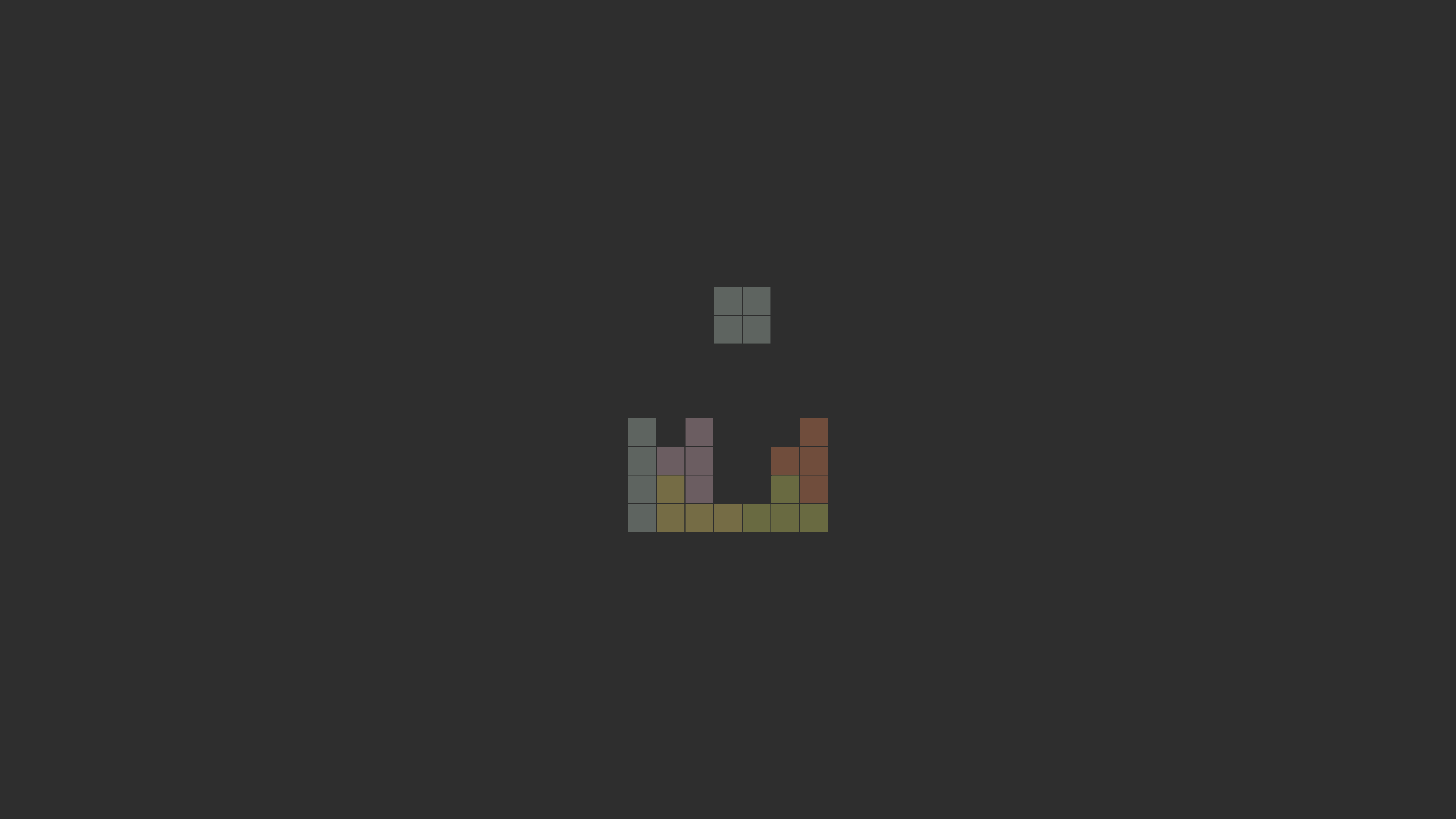
• Colorscheme: Gruvbox • Icons: Gruvbox-Plus-Dark • Font: JetBrainsMono Nerd • Wallpaper: Tetris Gruvbox
• Other apps: Firefox, Spotify, xfce4-terminal, htop, pipes.sh, fastfetch, cmatrix, cava. • Lots of inspo taken from this post
OC by @hydroJ@lemmy.world
[Hyprland] Enjoying a new color scheme
Originally posted by u/heavenlydemonicdev Link to wallpaper
i've gone teal!
cross-posted from: https://retrofed.com/c/unixporn@lemmy.world/p/1484254/cwm-i-ve-gone-teal
• Distro: Devuan GNU+Linux 6 "Excalibur" • Init: OpenRC • WM: cwm • Shell: ksh93 ——— • GTK Theme: Mint-Y-Legacy-Dark-Teal • Qt Theme: Kvantum (Mint-Y-Dark-Teal) • Icon Theme: Papirus-Dark (Teal) • Font: 3270 Nerd Font ——— • Bar: Polybar • Terminal: Alacritty • File Manager: Nemo / Midnight Commander • Editor: GNU nano
 View on programming.dev