The home for all things Xcode, Apple Developer IDE, on LW.
Rules:
- No NSFW Content.
- No hate speech or personal attacks.
- No Ads / Spamming.
🌉 bridged from !xcode@lemmy.world by Tidepool

The home for all things Xcode, Apple Developer IDE, on LW.
Rules:
🌉 bridged from !xcode@lemmy.world by Tidepool
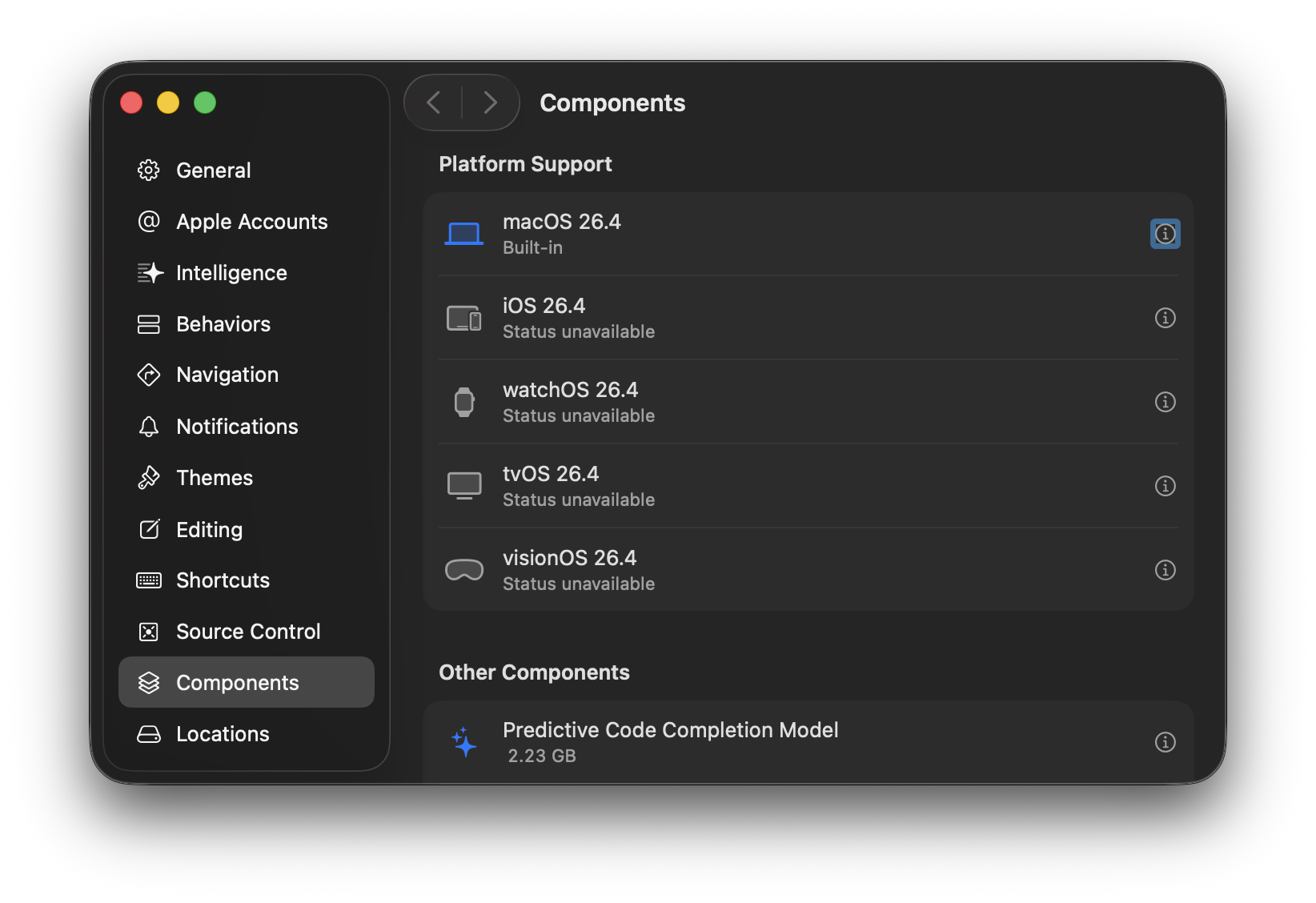
How to fix Status unavailable in Xcode Components?
cross-posted from: https://eventfrontier.com/post/3318203
I recently upgraded to Xcode 26.4. However, whenever I go to download the iOS, watchOS, tvOS, and visionOS platforms, it says "Status unavailable". I tried to uninstall Xcode. I tried to delete
~/Library/Xcodeand reinstall Xcode. I restarted my computer. I tried to install it using Xcodes.app. I also tried the following command:xcodebuild -downloadPlatform iOS. But that gave me the following error:Finding content... Unable to connect to simulator.I also looked at this repository (https://github.com/filsv/iOSDeviceSupport) to see if I could manually download the files and move them to the correct directory, but they don't have the recent files. I'm really at a loss for what to do next here. How can I fix this and download the platform support files? Screenshot of Xcode Components Platform Support showing "Status unavailable" for each platform
Welcome to the Xcode community on LW!
Let’s help each other out here and make this community great!
Please follow the rules and be mindful of other people.
 View on lemmy.world