Skip Navigation

yuzu

Members
0
Posts
22
Created
3 yr. ago

A community to discuss the different developments of the Nintendo Switch Emulator Yuzu.

Official website: https://yuzu-emu.org/

You can contribute on GitHub: https://github.com/yuzu-emu/yuzu

Devs patreon: https://www.patreon.com/yuzuteam

Some guidelines for posting here:

  • In general, don't be an asshole, so no bigotry or racism / discrimination of any kind.
  • No piracy here please. If you are so inclined you can create another community for that.

Thank you!

πŸŒ‰ bridged from !yuzuemulator@lemmy.world by Tidepool

Nintendo Switch emulator, Yuzu, developers settling lawsuit from Nintendo with $2.4M payout, handing over its domains, and agreeing "Yuzu [is] primarily designed to circumvent [DRM]".

Crossposted from !technology@lemmy.world: https://lemmy.world/post/12728165 β€”β€”β€” This also includes ceasing development and destroying their copies of the code. The GitHub repo page for Yuzu now returns a 404, as well. The website is still up, though.

www.theverge.com

Yuzu installer download is not available anymore. Anyone willing to share it?

As I said in the title, the installer isn't available anymore from this page. I wanted to download it the moment I heard they were getting sued, but it looks like it's already too late. Their Git repos now only has the website source code. I was only able to find a copy here, but I doubt it might not be the latest. Does anyone have the latest installer for both Windows and Linux? Would you be willing to share it with me? You can PM me to share a download link if you want. It would be much appreciated.

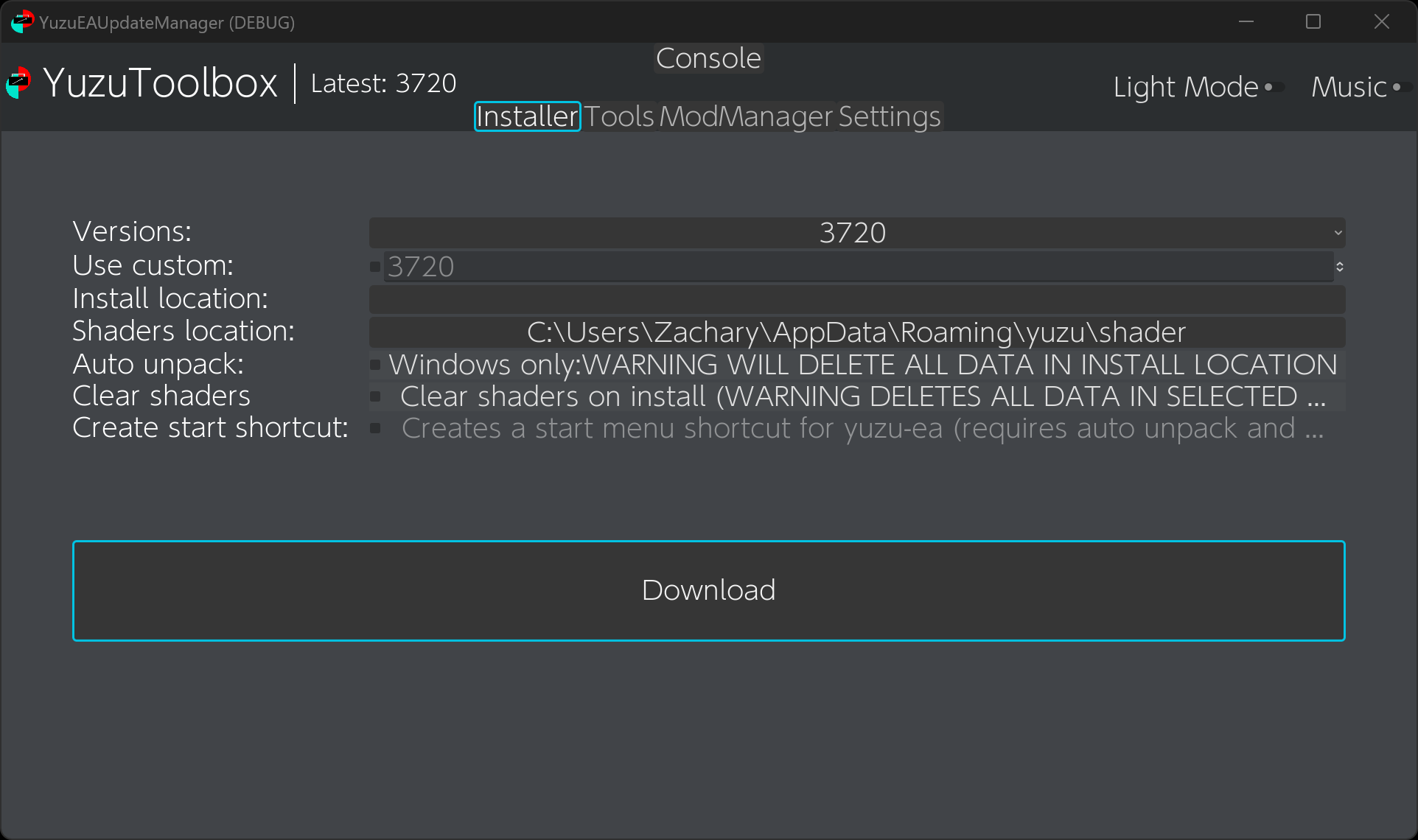
Yuzu Toolbox 3.2 release + now available on Itch.io! (OC)

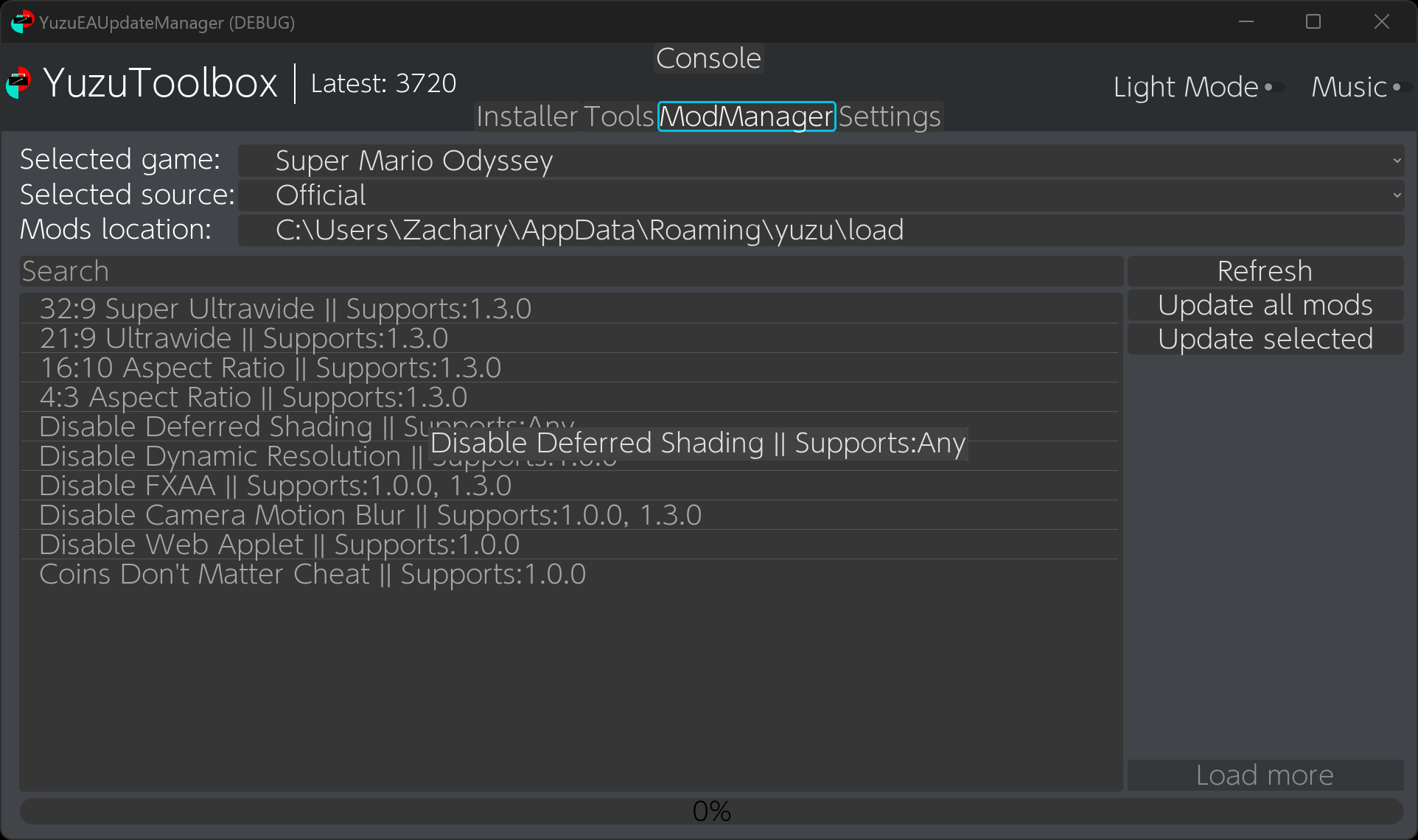
Yuzu Toolbox (previously known as PineappleEA-GUI) is an all in one app for installing Yuzu-EA, managing saves and shader caches, and mod management. The app is entirely open source and I just released it on Itch as well! What's new? The primary focus of this release was bug fixes + a new drop down error viewer for increased accessibility and quality of life. The change also re-adds the web-scraped version grabber for instances when the user has run out of Github API requests. The largest change however, is the branding. I decided to change the name and artwork for everything to better reflect the apps capabilities and increase the aesthetic qualities. I would reccommend installing the tool through Itch as at time of writing due to poor internet I am still struggling to upload the binaries on Github and Itch has a built in updater; but if you would like to contribute or report a bug the source is here:https://github.com/ZachAR3/YuzuToolbox Features: β€’ Cross platform (Windows and Linux) β€’ updating with overwrites of previous versions β€’ Simple management tools such as clearing shader caches / install directory β€’ Shortcut creation and automatic unpacking for windows β€’ Basic backup tool (allows save directory to be duplicated into another directory and then restored when desired) β€’ Mod management features (downloading, installing and updating mods from a variety of sources; + ability to uninstall and detect manually installed mods) Current mod sources: β€’ Yuzu wiki β€’ Bananamods β€’ ZeldaTOTK Holo Github repo (P.S) I am looking at adding the ability to download an update mainline Yuzu as well, but I would like to first see if that's something the community is interested in, so if you are please let me know. I am largely unsure due to the popularity of the flatpak and official repo versions on linux and the auto-updater on windows. image image image image

PineappleEA-GUI v3.0 release! (OC)

I just released the third major version of my yuzu early access manager, which includes the ability to install and update yuzu early access in addition to some basic QOL tools and a mod manager for your yuzu games. Changes β€’ Big mod manager refactor to now use custom classes and save the installed mods list β€’ Support for multiple sources when getting mods (currently the yuzu wiki and bananamods, with ZeldaTOTK holo planned next) β€’ New settings page to easily reset your settings and installed mods file incase of corruption β€’ New mod search bar β€’ Mod download progress and input locking when installing mods β€’ Better async support β€’ Lots of bug fixes and cleaning Repo:https://github.com/ZachAR3/PineappleEA-GUI P.S: I am looking at renaming it, since it is now quite a bit more than just a GUI for managing pineapple builds, any recommendations? Or should I just leave it as is. image image

/r/NewYuzuPiracy banned from Reddit

Regardless of how you feel about the intended content of the sub, it served as a sort of Reddit hub for modding TOTK due to it being one of the only places to discuss the game from the leak up to its actual release. I never thought that sub was a good home for that kind of content, so it will be interesting to see if the modding community moves over to /r/Yuzu or somewhere else entirely (maybe even here on Lemmy?)

EDIT: I just set up a TOTK Modding Community! Go check it out - Still a WIP, but I'm gonna try to turn it into an ideal place for TOTK modding content.

Yuzu doesn't recognize my controller on startup and forgets my mappings whenever I open the controls configuration.

As the title says, Yuzu is being a hassle. I'm having to reconfigure my controller every single session, which is extremely annoying when I'm streaming it through Moonlight/Sunshine and have to either walk all the way across the house to fix it or use the controller to emulate a mouse.

Also, Yuzu is "saving" my configurations, but only in name. Every time I open it up in the configuration menu, all my button remappings (ex: flipping face buttons) are reset to default.

Is there anyone willing and able to help with this?

PineappleEA-GUI v3.1 released! (OC)

I just released version 3.1 of my yuzu early access manager + tool kit + general purpose mod manager. The update now includes the Github TOTK holo mods as a source for Zelda in addition to closing a lot of bugs and lots of backend work. Features: β€’ Cross platform (Windows and Linux) β€’ updating with overwrites of previous versions β€’ Simple management tools such as clearing shader caches / install directory β€’ Shortcut creation and automatic unpacking for windows β€’ Basic backup tool (allows save directory to be duplicated into another directory and then restored when desired) β€’ Mod management features (downloading, installing and updating mods from a variety of sources; + ability to uninstall and detect manually installed mods) Current sources: β€’ Yuzu wiki β€’ Bananamods β€’ ZeldaTOTK Holo Github repo Repo:https://github.com/ZachAR3/PineappleEA-GUI image image

github.com

TotK crashes on launch

After working fine for nearly a month, TotK has started crashing whenever I start the game through yuzu. I have tried updating and resetting my keys, but to no avail. I came across a similar issue, but the returned error there was "Device loss occurred", which is not what I'm getting. As you can see in the log, sometime during shader compilation there isn't really an error, it just crashes. Would anyone happen to know a solution? Thanks!