Inspiring Discord admins and mods with free guides regarding server setup, roles, personalisation, formatting, bot recommendations and more at https://discord.gg/5pGm32YMuZ. Want to chat? Add .donuts
🌉 bridged from @donuts@lemmy.world by Tidepool



@donuts.lemmy.world.ap.tdpl.io
24 Posts1 Comments0 Memberships
Joined November 2026
Inspiring Discord admins and mods with free guides regarding server setup, roles, personalisation, formatting, bot recommendations and more at https://discord.gg/5pGm32YMuZ. Want to chat? Add .donuts
🌉 bridged from @donuts@lemmy.world by Tidepool
Should You Build a Community on Discord? A Practical Guide
Welp, this turned out a bit longer than originally intended. This is an article about the pros and cons with using Discord as a place to build a community. Find all the available guides here.
The approach of locking members into a platform restricts content indexing and searchability is a nuisance at best, and a nightmare for FOSS-enthusiasts. If that’s not an issue to you, Discord offers a versatile platform for building online communities, with advantages such as direct user engagement, customizable spaces, and real-time communication. Depending on what kind of community you are looking to build, there are a bunch of features that you won’t find on a lot of other platforms. Still, there are significant risks, including potential for rapid spread of negative sentiment and getting overwhelmed with support requests. Ultimately, the decision to use Discord should be based on careful consideration of your community's specific needs, resources available, and alignment with your values regarding openness and accessibility.
While Discord can provide a vibrant and engaging platform for communities, its inherent nature as a walled garden presents a paradoxical challenge for those in the free and open-source software (FOSS) movement. The lack of search engines indexing Discord servers means you cannot find the information or support you need as easily as you could on other, more open platforms. On top of that, the search functionality in the app is quite basic, lacking the right tools to unearth specific information when you’re in a pinch. The proprietary nature of Discord will create dissonance and might even be flat-out rejected by a lot of users on the fediverse. If you are more interested in FOSS alternatives, consider using Matrix or Stoat. While these apps still seem to be maturing, both provide a better foundation than Discord could ever hope to achieve. If the general drawbacks do not bother you, continue reading to explore some pros and cons of using Discord for various community-building scenarios, offering insights and guidance to help you make an informed decision about whether Discord aligns with your goals when managing a community. image
As a video game developer or publisher, Discord provides you with the opportunity to foster a more direct connection with your (potential) player base. The ability to create custom roles, channels, and emoji allows for fine-grained community organization and engagement, which can be especially valuable for game developers looking to build a dedicated following around the game’s universe or series. By feeding other social media content to your server it can also act like a hub where people can catch up on news and discuss them directly on the platform. Whether you’re ready for it or not, having a public server will have players share insights through questions and open dialogue. When constructive, this can be quite insightful as there is a good chance it can turn into a conversation that allows further refinement. Discord's flexibility also makes it an ideal platform for closed beta tests, allowing you to create a focused group that has a dedicated space for them to discuss. Furthermore, organizing giveaways, contests, and other community-driven activities becomes an (almost) seamless process within the Discord ecosystem via the plethora of bots and apps integrated with the platform. That being said, it is important to acknowledge the potential challenges that come with managing a public server for video games. Just like Steam’s discussion boards or YouTube comments, people of all walks of life will directly or indirectly share their opinions, grievances and preferences, and occasionally members will clash with each other as well. The difference here is that this is a real-time discussion platform where negative sentiments can spread rapidly, underscoring the need for proactive moderation and transparent communication. If not handled promptly, toxic activity will make members feel less safe and not welcome in your community. While the core active users will probably continue to show their faces, toxicity will result in a lack of engagement by other (newer) members and a greatly reduced retention rate. Aside from moderation it could also prove challenging to juggle the feedback and reports piling in if not channeled properly. Setting up the right infrastructure and guidelines will save you a lot of time and headaches down the line. image
Building a successful Discord bot requires more than just technical skills: you also need people that use your product. Hosting a Discord server can help with initial troubleshooting, and it opens up receiving feedback that can help shape development. While you can receive feedback through various means, it’s quite common to see bot support communities on Discord. If you plan to monetize the bot, Discord even requires you to have a support server to be able to provide support to paying clients. A bot support server means you can talk to your users on the same platform that they are using your product on, allowing for smoother troubleshooting of surface-level issues and deeper insights into how the bot is actually used by your users. This direct line of communication could also foster a sense of co-creation, depending on the nature of the bot and your goals for your project. As the user base grows, this level of community support and engagement does present its own set of hurdles. You may find yourself inundated with support requests, making it challenging to keep up with the demand for assistance. In such cases, it may be better to consider a platform like Codeberg.org, which offers robust issue tracking and development-focused discussions, allowing for a more structured approach to managing community input and bug reports. image
For businesses, NPO’s, and other team projects, the platform can serve as a tool for providing real-time user support and fostering a dedicated brand community. Users can seek assistance for surface-level issues, get news updates, and start networking with fellow community members. While casual, this direct line of communication can still allow you to gather insights and feedback with the goal of enhancing your products or services. The biggest risk for a business is Discord itself: all data on the server is solely owned by Discord, and there is always a non-zero chance that you will lose access or data in the future. This risk becomes even more of a problem when you use the server to discuss internal relations (aka “corporate” communications). As Discord does not provide any kind of enterprise support like backups, uptime guarantees or account management, relying on Discord for your team’s internal communication should simply be avoided altogether. If the lack of enterprise support is a non-issue for you, establishing a brand on Discord still has other challenges. Just like video game servers or bot support servers, negative sentiment can escalate if not properly managed, potentially harming your brand. If the space is not used for networking, generating engagement might prove difficult depending on how interesting your brand is to the Discord user base. image
For hobbyists, sports enthusiasts, or those seeking casual social hangouts, Discord provides a platform to create specialized communities centered around shared interests. By leveraging Discord's server and channel structure, you can establish dedicated spaces tailored to your members’ niche pursuits, like TV watch parties, sports betting or photo sharing forums. The informal and casual nature of Discord encourages relaxed interactions among community members, allowing for organic relationship-building. Growing a community around shared interests as a volunteer can be difficult though, so it might be good to set up community profiles on all sorts of social media that can be found online to direct traffic to the community. image
For content creators working in various artistic mediums such as art, videos, and/or live streams, Discord can serve as a casual platform to connect with fans, share creative works, receive valuable feedback, and share news about upcoming events and content. By fostering regular interactions within a dedicated community, creators can build a loyal fan base that actively participates in their creative journey. However, moderation can become quite time-consuming in these types of servers as the server grows. As an alternative, something like Patreon offers a more focused community experience. image
This one is simple: don’t. As mentioned in the introduction, people who are searching for guides, knowledge articles and support will not be able to find anything until they have an account and are present in your specific Discord server. This outweighs the positive features that you could leverage, as this directly opposes the open nature of wikis and help articles. I will admit I have done this myself, with the excuse that my content is all related to Discord and require you to have a basic understanding of how the platform works. This meant joining my server was less of a barrier to those wanting to read guides about managing Discord communities. Still, it's ultimately a sub-optimal solution that prioritized keeping users within the Discord ecosystem over providing accessible information, and this was not my intention. If your goals are similar and your Discord community is already established, consider a dedicated wiki site or even a custom website to index and display your content instead. This makes it more accessible to the web and allows you to focus more on the community building aspect of Discord. Personally, I am also transferring my guides to Lemmy to share my tools and guides with the fediverse, without the need to visit a different website to browse the content.
Why I prefer to spend time in Cyrodiil
Still have to do the Kvatch questline, but oh well
(shamelessly lifted from R*ddit)
A typical weekend
Worthy of a Plaque: Nameplates Land in the Shop
After Profile effects and Avatar decorations, you can now buy Name Plates for your profile.
Honestly, this is the type of monetization that I dislike the least, considering the alternatives. You don't even have to have Nitro afaik, the premium subscription that allows mostly cosmetic perks

Discord appoints former Activision Blizzard exec Humam Sakhnini as CEO
Discord Begins Testing Facial Scans for Age Verification
Discord has begun requiring some users in the United Kingdom and Australia to verify their age through a facial scan before being permitted to access sensitive content. The chat app’s new process has been described as an “experiment,” and comes in response to laws passed in those countries that place guardrails on youth access to online platforms. Discord has also been the target of concerns that it does not sufficiently protect minors from sexual content.
Discord heightens ad focus by introducing video ads to mobile apps in June
At least you can hide them, for now. Another notch on the "enshittification" scale.
Announcing Discord’s Social SDK, Helping Power Your Game’s Social Experiences
TL;DR: Discord launched its Social SDK, enabling game devs to integrate social features like voice, video, and text chat directly into games. This aims to enhance in-game social experiences and make it easier for players to connect and communicate without leaving the game. The SDK is designed to be developer-friendly, is free to use and supports cross-platform functionality. You can also use it as a player without needing an account, but linking your Discord account will give you more functionality.

Can't claim voucher unless you subscribe to newsletter, but this is not mentioned anywhere until you try to claim
place is "Happy Italy", some restaurant chain
edit: funny thing is, I was already subscribed to the newsletter, it's how I got here in the first place. Unsubscribed now though.
Gaming chat platform Discord in early talks with banks about public listing
cross-posted from: https://lemmy.dbzer0.com/post/39282773 Check out the archived version for easy access:
https://archive.is/2025.03.06-011758/https://www.ft.com/content/4ab9efe7-36bc-44ff-b2cd-06eb2c38203a

Discord adds AI image transform bot — that you can’t disable or opt out of
Have tested this myself - you need to still give permission to the app to be connected to your account if you haven't used them, but other than that, it works out of the box. If you don't like this, your best option would probably be to move to https://revolt.chat/
Wellness Survey for Discord Moderators and Community Managers
Discord’s Wellbeing & Empowerment team is working with Dr. Rachel Kowert, an internationally acclaimed expert in mental health, trust, and safety in digital games, to develop a resource to educate and equip moderators with strategies and tools to support their mental health and promote the well-being of their online communities. Moderators and community managers play an essential role in maintaining safe and positive spaces in gaming and digital communities, and we can’t create this resource without hearing directly from those we aim to support!
Basically, they are asking for input from moderators and admins who moderate to help shape development of moderator strategies and tools on Discord. Direct link to the survey: https://discord.sjc1.qualtrics.com/jfe/form/SV_bIYv8Gmf9h7bX3o

P ro ven B enefits of G round in g!
This whole "manual" is like this. No idea how they managed to screw up so bad
Game forces you to accept selling your info to vendors before you can use it
If you hit "next", the consent window opens again and if you refuse any of them, you get put back at this screen so you're stuck in a loop. This shitty practice is even endorsed by Google, as they are promoting this game to try out and earn points. Edit: game is called Jewel Gold Empire: Match 3 and it's from some Korean company it seems: https://play.google.com/store/apps/details?id=com.penta.empire.google Obviously I uninstalled it immediately after
Emoji, Stickers and Sounds
This is the third intermediate guide posted to cover Expressions: emoji, stickers and sounds. Find all the available guides here.
Expressions like emoji and stickers add some personalization to spruce up your server and make it recognizable. In this section, we're going to cover the following all the different types and what is viable for each one.
Emoji create a visual element that is tailored to your server and helps your members link your product or brand to emotions. People that have Discord Nitro can also use the emoji of your server in other servers, which can be seen as free advertisement! Initially, there's space for 50 emoji and animoji per server, which can be expanded upon with Server Boosts. • File type: JPEG, PNG, or GIF • File size: <256 KB (anything bigger will be compressed) • Dimensions: 128x128
The key is to use emoji that can be used as reactions or intent. A game character or logo is not the best option because of the small resolution and lack of focus. Emoji are used as a reaction, so facial expressions of characters, faction emblems and even art from the brand or product that could replace existing emoji are all excellent choices. Use your own emoji regularly when pushing announcements and news to further solidify the expressions they represent.
Uploading any emoji will make them available for other members on the server, too. This isn't necessarily problematic, but if you have Discord Nitro you could upload them on your private server for your use only.
I have created an emoji starter pack to help you visualize the various platforms you can link in your posts. Check out the details here or download it directly here. image
Stickers are basically very large (animated) emoji, allowing it to be way more expressive than emoji. Think of key characters or memes that don’t fit in an emoji, but can be used as a sticker reaction. Initially, there's space for 5 stickers, which can be expanded upon with Server Boosts. • File type: PNG or APNG • File size: <512KB • Dimensions: 320x320 • Matching unicode emoji
Once again, stickers should be used as reactions and need to invoke some emotion. Just like emoji, facial expressions and animations are the best options here. Because of the bigger canvas size, you can fit a lot more detail in so top body shots are also feasible now. Use the stickers regularly when having conversations to further solidify the expressions they represent. Don't forget to add a description text as well for those using a screen reader.
Sounds can be uploaded to the Soundboard to be able to play them when chatting in a voice channel. There’s a few default sounds that are already enabled that could provide some entertainment during a voice call. • File type: MP3 • File size: <512KB • Length: up to 5 seconds
What kind of sounds you will upload is heavily dependent on what kind of voice activity you’re going to be having in the server. Personally, I think it could add a lot of noise when abused, so try to use sounds sparingly.
Templates and Resources
This is the fifth advanced guide posted to cover some external resources and templates to support you with managing your Discord server. Find all available guides here.
This is a link to generate an entire server with the channels, roles, permissions and moderation settings (except for 2FA) already configured. Be sure to read the channel topics for more guidance on how to fully deploy the template to a public server. You can also use this template as a visual guide. If you use the template, don't forget to change the channel topics after you're done. image Template link (this will take you in-app and show the server before creating)
If you like emoji to go with links and platforms in your messages, this archive of emoji covers all major platforms. Feel free to add suggestions to this pack. This is what the .zip looks like (.PNGs): image Download the pack here
This spreadsheet hosts guides on how to integrate various (social) platforms like Twitter/X, Facebook, a website/blog, Instagram, YouTube, Reddit, Steam News and/or Twitch on your Discord server at no cost other than time, a bit of work and a free account with a website called IFTTT (If This, Then That). Here's the link to the sheet.
This spreadsheet provides a place for you to place links and text to be able to generate recurring events in a more streamlined way. Feel free to generate a copy of the workflow template.
Server Web Page
This is the fourth advanced guide posted to cover the Server Discovery add-on of a web page for your Discord server. Find all available guides here.
A Server Web Page is a page on the Server Discovery listing that you can set up to inform and attract potential community members. This index has been available through the in-app browser for a while, but with a web page you can reach new community members that are browsing the web.
Web pages is a feature in beta and only available to a small set of discoverable servers. If you have Discovery enabled without this web page, your server will still show up on the in-app server browser.
As the content of Discord servers are not indexed by search engines, you could only depend on third party platforms to host the information that would make your server appear to your potential audience. With a dedicated web page hosted on discord.com/servers, you can describe your server accurately and specifically to help new members find your server when they’re searching the web for relevant terms. Mirroring Server Discovery, you will be shown the category and assigned subcategories that you have configured previously that allows users to find your server with the in-app browser. The Discovery cover image is used here as well. Other assets that transfer over are the server icon and the server description from the Community settings.
The core distinction from the Discovery Listing is that the Server Web Page allows you to list up to four reasons for why users should join the server in the form of a short description and a connected emoji. Recommended key topics on this list should be clear on how it provides value to new members that are looking for a server to join. If your server is about a brand or product, you can highlight what users can expect in terms of official events, official support and how to connect to other users. image The highlighted activities will be listed under the chatting status and server age information accompanied by the 💬 and 📅 respectively, so don't use those emoji to avoid repetition.
Next to activities, you can also add a description and links to other social media. With the description you can go more in-depth about your community as to what potential members need to know and why they should join the server. With room for 2400 characters, there’s plenty of space to highlight what’s great about the community and what features you facilitate on the server. Bear in mind there’s no text markup or hyperlinks available, so keep it simple. Lastly, you can link up to 9 social media accounts to showcase on the web page. This is highly recommended provided you have the accounts, as it solidifies your position on the web, like allowing users to verify the official status of your server.
Server Discovery, Verification & Partnership
Let's see if those ampersands in titles are fixed on Lemmy.world! Short guide this time: this is the third advanced guide posted to cover the official community programs called (server) Discovery, Verification and Partnership. Find all available guides here. For any Discord server community program your server will need to meet Discord's Community Guidelines. If you’ve been following my guide in [coming soon], you should have most of it covered already.
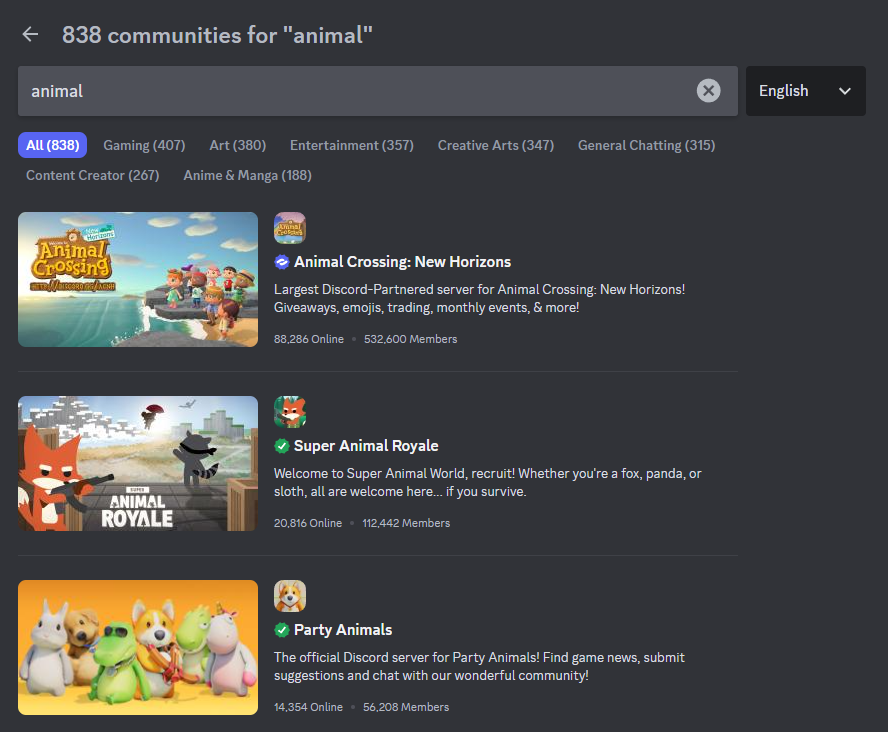
Server Discovery is a search tool for users to find new compatible communities with ease. Via discord.com/servers or the in-app server browser, users can filter by categories or use the search bar to find communities they might be interested in. Your community can be one of these if certain conditions are met. image
The Server Discovery listing increases the reach of your server as anyone can browse communities and find servers that fit. With the so-called "Lurker Mode", users can view your server to figure out if it's worth it to join before actually being a part of your server. Server Discovery is a standalone feature for Community servers that can be enabled without your server having to be Verified or Partnered. Having either of these community features will make enabling Server Discovery much easier though, as you only need half of the size requirement.
You can check the full list of targets you need to hit in the Discovery settings of your server, but here’s a few we haven’t talked about yet: • Age: The server needs to be at least 8 weeks old; • Activity: The server must have more than 20 members talking (communicators) weekly and more than 40 members visiting weekly (participators). For servers that have more than 10 new people joining weekly, you also need to have new member retention be above 10%; • Size: Discovery is available to servers with more than 1,000 members. When the server is Verified or Partnered you only need 500.
Aside from having a public server and telling your fans where to find it, listing your server in Server Discovery can be a great way to grow your server. In the server settings, you can assign a category and up to 5 subcategories to help potential members find your server more easily. Make sure to set a subcategory even if it means using the same as the main category to not get hidden by the filters users can set. image With room for up to 10 keywords you can further tweak your discoverability by putting in keywords that are related to your community. To stand out in the search results to users, you can add a general description, a custom cover image and opt for showing the top 5 emoji of the server.
If your server doesn't hit the requirements for 4 weeks in a row, it can be removed from the Discovery listing. You won’t be penalized for abusive behavior though - bots and users who join and leave immediately are not counted towards your server’s stats.
Server Boosting
This is the second advanced guide posted to cover the viability and use of Server Boosts. Find all available guides here. Server Boosts are perks that can be purchased via recurring monthly payments. If you’re a Nitro subscriber, you will get 2 Server Boosts included with your subscription to kickstart a server. In this section I will list all the perks that can be unlocked and how to deploy them to your server. Every level also includes more slots for emoji, stickers and sounds.
Boost level 1 is the most feasible level to achieve as there are only 2 boosts needed. If you are a Nitro user, you could boost your own server with the two that came with the subscription, or buy two more at a discounted rate. After your server reaches level 1, you will get a few perks to get your server looking more lively.
An animated server icon is a nice visual element that can make you stand out from other servers. If you have the means to animate or otherwise acquire an animation of your server’s icon it would be good to make use of it. It gives the server a bit of liveliness and it might generate some discussions on the server. You can change the server icon in the general Server Settings window. Bear in mind it still needs to be under 8MB, just like a regular server icon.
The server invite background is what users see after clicking a discord invite link, right before they press the button to join the server. It’s recommended to re-use some art or a logo to accompany the invite link, as a separate art piece just for this part is a bit of a waste. image You can change the server invite background in the general Server Settings window. The recommended minimum size is 1920x1080 (16:9). Try to avoid using the top and bottom edges as the browser UI might hide some elements. The invite embed, invite in browser and invite confirmation modal will be overlaid in the centre, so try to work around that too.
Additionally to visual perks, you also unlock 128 kbps audio quality (from 96) and 60 fps streaming at 720p (from 30 fps). Upping the audio quality of official events in voice channels is not a bad idea, but bear in mind users with a less stable connection might have more difficulties connecting. Find the audio quality in the voice channel settings and the video quality settings when you’re streaming.
Boost level 2 requires 7 boosts and is harder to pull off individually. Usually this level of boosting is acquired when your server has grown substantially and community members pitch in with a boost or two. After your server reaches level 2, you will get a few visual perks as well as practical ones.
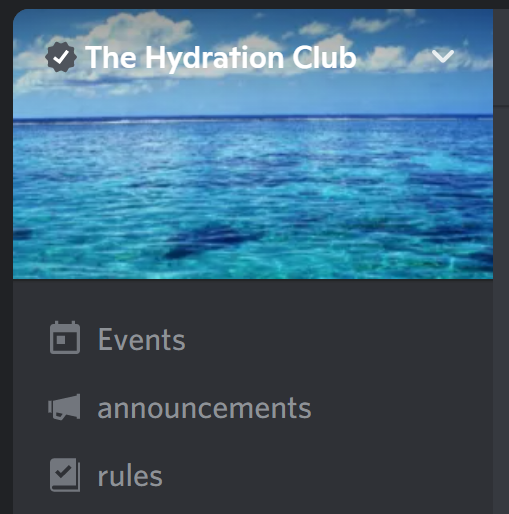
The server banner background is a neat little picture right at the top of the channel listing of the server to help identify the community. It also provides a nice visual element that can go well together with your server icon and the rest of the art on the server. image You can change the server banner background in the general Server Settings window. The recommended minimum size is 960x540 (16:9). Try using a nice big logo or simple art piece to showcase on the server. Text is fine but no more than a full sentence as otherwise it would be too small to read.
With custom role icons, you can set an icon for every role within the server. Think of these as an extension of role colours. Role icons will display in the members list next to the role name, and next to each user's name in chat. You can see all roles and icons that a user has in their user profile from within the server as well. You can find the role icon settings in the Roles settings of the server. Select a role and under the “Display” tab you will find a field called “Role Icon”. You can use emoji or upload any image of your choice. If you have roles tied to a team or some prestige status, it’s highly recommended to give them a cool badge to go with their role, too.
Together with the new visual elements, all users also have an increased upload limit of 50MB (from 25MB). Nitro users aren’t affected by this as they have 500MB by default. This allows users to share video attachments and high resolution art more easily without having to worry about reducing the quality.
Once again, you also unlock 256 kbps audio quality (from 128) and 60 fps streaming at 1080p (from 720p). This level of audio quality should be reserved for podcasts and any other type of content that is meant to be shared or exported later. Find the audio quality in the voice channel settings and the video quality settings when you’re streaming.
For Stage channel events where video is shared, you can now have up to 150 viewers (from 50) to share your event with. This is generally reserved for interviews, podcasts, or fireside chat-style conversations.
Boost level 3 requires 14 boosts and is the maximum levels of boost you can acquire. This level of boosting is generally achieved when users find that the server has a lot of value and they want to give back to the community. After your server reaches level 3, you will get the much wanted custom invite link and an animated server banner, as well as some other practical benefits.
Unless your server is currently Verified or Partnered, the only way to acquire a custom invite link is through boost level 3. This might be steep, but it’s definitely worth it to try and unlock this feature. A custom invite link will add a ton of credibility to your server as it’s not a random string of numbers and letters. Find it under Custom Invite Link in the server settings. image
Once more, the upload limit of all members is increased. Now users will be able to upload files of 100MB (from 50MB), which is mostly useful for video attachments. Generally not having to worry about any file size limit is a nice perk for server members.
An animated server banner will help the server stand out visually.. If you have the means to animate or otherwise acquire an animation of your server’s banner background it would be good to make use of it. It gives the server a bit of liveliness and it might generate some discussions on the server.
The maximum audio quality is upped one more time to 384 kbps audio quality (from 256). This seems a bit over the top and aside from recording music over discord I’m not sure what to use it for.
Lastly, the amount of Stage channel in increased to 300 viewers (from 150) to share your event with. This is generally reserved for interviews, podcasts, or fireside chat-style conversations.
While server boosts are an excellent way to provide shortcuts to features of Discord, maintaining the maximum levels of boosts will probably not be worth the investment as you’re looking at hundreds of dollar per year. While this seems quite extortionate, keep in mind Boosts are meant for individual community members to show support to a server. Try to focus on making the server as valuable as possible to your community so they feel like they want to give back.
Automation and Bot Recommendations
This is the second intermediate guide posted to cover all things bots and automation. Find all the available guides here. Discord bots are helpful bot users that can assist you with managing your server or providing some sort of service. In this section I will mainly talk about three different categories of bots: • Server setup essentials • Community tools • Entertainment Disclaimer: I am not affiliated with the Discord bot( developer)s listed below. This guide covers my opinions and experiences with various bot features and aims to provide accessible options for popular automation needs.
My personal recommendation when it comes to setting up your server is Dyno. The provided dashboard makes setting up different modules a lot easier and everything listed as an essential server feature in this guide is free to use with Dyno.
For any type of logging, it's the most accessible when it's easy to configure and a clear visual style. Dyno covers both these requirements and has proven to be reliable. With a toggle in the dashboard for each event you can customize what you see and in which channel you see the log type. Most importantly, the User ID of the user involved is shown on almost all log messages making it much easier to track down specific accounts. More info about that in the Moderator Tools guide.
The welcome message is a post by the bot whenever a new user joins, preferably in an introductions channel. Next to an actual welcome you can also use this space to provide some onboarding like how to get roles, read up on official info as well as inviting them to introduce themselves.
The welcome message is but a small cog in the onboarding chain and will assist in providing new users with a smoother experience. This does not replace a human welcome: the best onboarding you can get as a new member is to be enthusiastically greeted by the community!
The bot can reply with a predetermined message whenever a custom command or keyword is posted. Helpful to quickly retrieve links or information that is often referred to, like a release date, wiki site or the support link.
Aside from bots that help with creating your server, you can also get bots that serve the purpose of enriching the user experience of your community server. Highlighting streamers and content creators, collecting data about server activity, providing bug reporting tools, automating voice channel creation: there are many different types of utility you can use to automate processes and dedicate a space to a special group.
The starboard is like a highlight reel of the community. Users can vote on messages they like with a predetermined emoji, and if the emoji reaction hits a predetermined amount the bot will embed the post in a separate channel. Use a custom emoji to further personalize this and you’ve got your own community Hall of Fame.
For giveaways, Giveawaybot is an excellent choice as it is easy to setup and allows users to partake in the randomly drawn winners by clicking on an emoji reaction. Giveaway Boat is also a good contender.
Highlighting Twitch livestreams is easily done with Streamcord. You can set up to 25 streamers to announce when they go live, and add users to a "now live" role if you want to highlight them on your server. If you want to get more advanced control of Twitch and YouTube content, a reliable bot is Couchbot but it comes at a premium for $1 a month. At this tier, you get 5 content creators on each platform for 2 servers. Starting at $3 a month, you can even filter by games or teams, allowing you to not only push your own live streams automatically, but also post streamers playing certain games (like yours!). The setup can be a bit rough with toggle commands only though, so be sure to follow the documentation.
Posting social media feeds comes in two flavors: webhooks and bots. Websites that host free webhook options like IFTTT and Zapier allow you to push a platform to a Discord channel, but this requires creating an account and only allows a limited amount of connections. Setting up content like tweets to be posted through a webhook is relatively easy though, and - as far as I know - the only true free option. As for bots, the amount of connections varies and the speed of live notifications can vary as well, just like webhooks can be rate limited. You can stick to Dyno for Twitch and YouTube or try YAGPDB, but social media, Steam and websites are best to use with an RSS bot like MonitoRSS. You can set up 5 blog posts, news feeds or social media feeds for free with 15 minute intervals, provided you have a working RSS link.
If you need some guidance with setting up a webhook to push Tweets/X’s, or want to integrate Facebook, Instagram, Reddit, Twitch, YouTube, Steam, a website/blog and/or RSS feeds, try my Social Media integrations guide for Discord.
Pryzm App allows you to view advanced metrics like channel activity, heat maps, moderation stats, forum tag numbers, growth analytics- the list goes on. The moderation statistics even include details about the action itself in the form of who, when and why, making it a web-accessed audit log of your moderator's actions. For a premium (currently $4.99 a month) you get access to up to 30 days of data history, heatmap comparisons and role filtering. If you're serious about data-driven approaches to community building, this is a very helpful tool to make your life as a server admin a lot easier. Statbot also snoops around your server to collect data about your server activity. With statistics about messages, users and voice activity, it paints a good picture of who is most active in your server and what the high-traffic channels are. You can also assign roles based on the stats automatically if you want to reward active users on your server with a special role, and control what channels are exempt from collecting data.
When you reach 500 members, you can use Discord's official Server Insights to view more data about your server. These statistics offer fine-grained controls, but a dedicated but usually captures more/different data points.
Last but not least, there is quite an amount of bots that provide games to play, economies to partake in and leaderboards to climb. I've only picked a few out of the massive list available, so if you have any recommendations for bots that really stand out compared to the rest, let me know!
While there are many bots that provide some sort of economy, Unbelievaboat is the only one I’ve seen implemented well. With personalized items, dialogues and the currency you get a lot of creative freedom to tailor the bot to the universe of your game or brand. These types of bots can be useful when project development is slow as your community can engage and interact with your content and universe in a different way.
ActivityRank assigns users XP based on messages, voice minutes, “upvotes” and/or referrals. By being able to toggle any category, exclude any channel and assign any roles to the rankings you set, the only thing missing is a dashboard to configure the bot with more ease.
• Auto-moderation? Now natively supported: Automod FAQ • Text Chat for Voice Users? Now natively supported: Text Chat in Voice Channels • Reaction roles? Now natively supported as part of the Onboarding feature. A separate Channels & Roles channel appears that allows users to assign roles and channels: Onboarding FAQ