
Skip Navigation

User banner
Linux

Members
0
Posts
52
Created
3 yr. ago

Welcome to c/linux!

Welcome to our thriving Linux community! Whether you're a seasoned Linux enthusiast or just starting your journey, we're excited to have you here. Explore, learn, and collaborate with like-minded individuals who share a passion for open-source software and the endless possibilities it offers. Together, let's dive into the world of Linux and embrace the power of freedom, customization, and innovation. Enjoy your stay and feel free to join the vibrant discussions that await you!

Rules:

  1. Stay on topic: Posts and discussions should be related to Linux, open source software, and related technologies.
  2. Be respectful: Treat fellow community members with respect and courtesy.
  3. Quality over quantity: Share informative and thought-provoking content.
  4. No spam or self-promotion: Avoid excessive self-promotion or spamming.
  5. No NSFW adult content
  6. Follow general [lemmy guidelines.](https://join-lem…

🌉 bridged from !linux@lemmy.world by Tidepoo

Running per-app VPNs while the rest of the system runs on one?

I'm new to configuring wireguard & VPNs on Linux, I asked claude for a lot of input and am wondering if there are any faults in what I came up with or if there are better practices or things to do. • I'm using NetworkManager with iwd for connecting to wifi, since KDE's wifi menu supports it. • I have ProtonVPN Plus, for the whole system it works with either the app or with a wireguard configuration imported into KDE. For this I just tested with the former. • For per-app connections claude suggested vopono, I set up the systemd unit for it as recommended in the docs. I use commands like this: vopono exec --custom wireguard-config.conf -i eth0 --protocol wireguard browser-name. • However it looks like every time I start my PC up I need to do this command (provided by claude) to fix priority: sudo ip rule add from 10.200.0.0/1 lookup main priority 100 (I could have it run automatically on startup or add it to my nix config, but am wondering if something like is normal for this). • I mainly want to have different IP addresses in different browsers. Right now this is my NixOS configuration:

 
  networking = {
    hostName = "my-pc-host-name";
    networkmanager.enable = true;
    networkmanager.wifi.backend = "iwd";
    firewall.checkReversePath = false;
    wireless.iwd = {
      enable = true;
      settings.General.EnableNetworkConfiguration = true;
    };
    networkmanager.unmanaged = [
      "interface-name:vo_*"
    ];
  };

I just noticed that kernel 6.8.0-151 fails to boot my Mint system. What should I do beyond using Grub to boot to the previous version which does work?

I dunno what happened. I must have rebooted after the update on 11/19, right? But, yesterday when I rebooted, it hung right after telling me the hardware rand thing is disabled, which it always does. I'm able to boot into 139.

Should I just wait for the next update and try that, or should I restore from Timeshift to 11/18?

Thank you.

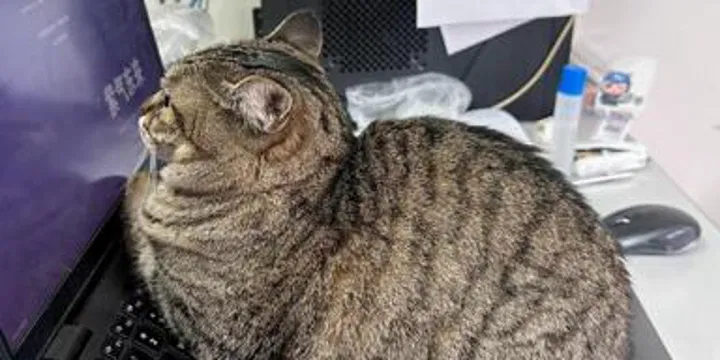
Pic mildly related.

ip link does not actually bring interface up

Having trouble setting up my pihole to serve the web interface on both wires and wireless connections - I'd like to manage it from my phone from time to time. I saw that the wlan0 interface was down, so I'm trying to bring it up. Here's how that's going:

 sh
pi@raspberrypi:~ $ ip link show wlan0
3: wlan0: <NO-CARRIER,BROADCAST,MULTICAST,UP> mtu 1500 qdisc pfifo_fast state DOWN mode DORMANT group default qlen 1000
    link/ether **:**:**:**:**:** brd ff:ff:ff:ff:ff:ff
pi@raspberrypi:~ $ sudo ip link set wlan0 up
pi@raspberrypi:~ $ ip link show wlan0
3: wlan0: <NO-CARRIER,BROADCAST,MULTICAST,UP> mtu 1500 qdisc pfifo_fast state DOWN mode DORMANT group default qlen 1000
    link/ether **:**:**:**:**:** brd ff:ff:ff:ff:ff:ff

The <> list says UP but the state is still DOWN. Pihole still shows the interface as down, and my phone cannot reach the 192.168.x.x address the pihole is at. Any ideas?

My script to list updates by repository

cross-posted from: https://lemmy.world/post/54388674

As a long time Linux user I've switched some family members to Linux too. I didn't want automatic updates, but it makes reviewing updates sometimes a bit much. Prompted a #bash script, which turned out useful imo: pkgupdates (tested on various #archlinux distros) It depends on pacman-contrib, and does not make any changes, just gives you an overview of updates per repo.

What's a good lightweight non Adobe PDF reader for Linux?

I'm running Termux with XFCE desktop on Android. I only just realized that the only program I currently have installed that can properly open PDFs is GIMP, and that's extreme overkill as I just want a lightweight reader, no need to manipulate them as images ya know. Also, related side question, are there any lightweight Linux terminal programs that can export PDF as plain text? I'm kinda hoping to pipe the text output of George Orwell 1984 through espeak reader and have Linux read it out to me... Edit: Plain text and speech engine questions solved, and rather simple no less. This is the refined version BTW, --stdin is necessary to make espeak read the entire document. pdftotext go-1984.pdf -|espeak --stdin

What is your reaction to the flood of CVEs?

The number of reported security vulnerabilities has gone up drastically. And so has the frequency, number, and volume of security patches. Which also makes the gap between fully supported distributions and ones with only partial security support larger. (Not every distribution provides full security upddates for the full announced life time of a release.)

How are you folks reacting to this?

On mint for a while now, people usually call mint a newbie distro, any reason to "upgrade" to a different distro?

Hi, how's it going? I've been daily driving mint with i3 for a while now, (takes like 500mb idle ram) but I always hear mint being called a newbie distro, I know arch is harder to set up and more customizable for example, but overall im wondering, in which cases one would go from mint to another distro? what can make other distros "better" than mint? i'll end up using a window manager (i3 or if thats not availible some other lightweight one) so differences in desktop environments i dont really care that much about

Looking for Volunteer Moderators for !linux!

Hello !linux community! The current moderation team for !linux has been inactive for a while, so the admin team has stepped in temporarily to help keep the queue clear and find new volunteer moderators from the community.

Interested in Moderating !linux?

If you enjoy this community and would like to help keep it welcoming, spam-free, and well-maintained: • Reply in the comments below or send a Direct Message to @ieh. • Let us know if you have any prior moderation experience (not required!) and what you'd like to see for the community. (Note: If any of the previous moderators return in the future, they are always welcome to reach out to the admin team as well!) Requirements and notes: • Reports do not get sent for moderators without a lemmy.world account, so if you have an account on a different instance, you'd need to create one here and check it daily for reports (takes a few seconds at most) • Most communities get reports infrequently, often once per week or less. Although sometimes more. Checking daily is important • Moderate fairly according to the community rules. Everyone has to make subjective calls, but try to be objective • Enforce the Lemmy.World ToS If you have any questions, would like to volunteer, please reply below!

Ran into my first problem within Fedora KDE Plasma...

Since switching to fedora, I have been testing out its features and i just now ran into my first problem; Since my laptop doesn't have a SD card reader, I have to use an external SD card reader when i want to access my microSD cards. I recently tried to put in my Acer 2-in-1 SD Card reader and my system did not pick up that i inserted the card reader. I'm not sure on what I am supposed to do about that, so if anyone can give me any advice I'll appreciate it.

Update: So I decided to put in a different brand of SD card into the card reader (to test if the card could be an problem) and Dolphin immediately read and put it in the removable device section. The sd card that is having issues was a Sandisk card. Verbatim was mounted easily, so something is going on with my Standisk card.

WoW forever on linux high latency.

cross-posted from: https://lemmy.world/post/54277761

sorry if this is the wrong place to post this. Recently i switched to steam os on my pc, installed battle net and everything went smoothly. I played in beta and i dont have issue but when i play on live my ping would shoot to 1000 to 4000. and it only smooth on the first 10 minutes or so. I dont know what else i should do so any help is appreciated. things i tried restarting. Im using starlink so i tried to relocate the dish. turning off firewall in my asus modem turning off firewall in my pc turning on and off qos turning on and off ipv6 changing poton I tried several ping checker and in my browser everything seem normal

No, the kernel has not gone "Full AI Slop Code"

There appears to be a few bad actors in the Lemmy community spreading ragebait for personal gain In fact, the same mechanisms added at the beginning to catch bad human written code are the exact same that catch bad AI code 1. No, the Linux kernel won't use AI to auto approve code for inclusion. And no plans to do so 2. The Kernel actually has a huge number of maintainers. As part of the process, all patches are reviewed by a human who provide feedback as part of the process, and patches get bounced back and forth multiple time. 3. Patches don't just magically go straight to master. The maintainers generally have their own branches where it goes to, then it goes to staging trees like Linux-Next. It goes through many eyes, and many tests by the end. The idea that AI code is overrunning the kernel is rediculous 4. Maintainers also check that the code meets coding guidelines and is written properly, and solves the problem they are trying to solve. Yes, they also ensure the code isn't slop 5. LLM's though might be used to identify obvious problems (bugs / coding guideline issues) with the code. These don't generate "slop" just find issues 6. The only thing that matters is the human who submitted the code, as they should be checking the code submitted anyway (including LLM generated code). Writing bad code isn't something new, and isn't unique to LLM's. Coders (and it seems some "journalists") have been writing slop since computers were invented. The process hasn't gotten less stringent (probably even MORE stringent as there is an additional set of robotic eyes that can also check), and the same mechanisms that were put in place to catch badly written code 10 years ago, are still there now

This Week in Plasma: Fixing All the Bugs, PiP, and Performance

Welcome to a new issue of This Week in Plasma. And it’s going to be a big one, folks! This week, a familiar pattern played out: people upgraded to Plasma 6.8 and found all the bugs that nobody reported during the beta period, and the Plasma team worked incredibly hard to fix them! You’ll see the result below: tons of bug fixes.

Paywall?

blogs.kde.org