A community for discussion about open source software! Ask questions, share knowledge, share news, or post interesting stuff related to it!
⠀ image
🌉 bridged from !opensource@programming.dev by Tidepool

A community for discussion about open source software! Ask questions, share knowledge, share news, or post interesting stuff related to it!
⠀ image
🌉 bridged from !opensource@programming.dev by Tidepool
Happy GTA VImas
Apparently the post was deleted. The screenshot was taken by ModernVintageG.
D.eSystem 6.2.0 (A new version of my current OS)
D.eSystem 6.2.0: D.eSystem 6.2.0 redesigned the desktop GUI. D.eSystem 6.2.0 also fixes a major bug in the D.eShell,for example when you typed a unknows command in the D.eShell in older versions the D.eShell stoped rendering,D.eSystem 6.2.0 fixed this issue. The Codename of D.eSystem 6.2.0 is Aqua-Lake. Find D.eSystem 6.2.0 here: https://github.com/D-electronics-scratch/D.eSystem_6/releases/tag/v.6.2.0 Find more about D.eSystem 6 here: https://github.com/D-electronics-scratch/D.eSystem_6
CRM solutions
I'm in the position to help choose a CRM solution to use as a base for a fork; to be customized by an organization I volunteer for.
I'm not entirely sure what to look for in a CRM package; I looked at a few ratings sites and have a list of open source CRM solutions.
I don't have a good grasp of how I should evaluate the merits of each; I am going to spin up a few of them and test how easy/hard it is and what features fit with our needs.
Any advice would be appreciated.
usb-rea: reverse engineer a USB gadget that only has a Windows app, starting from a Wireshark capture
I kept buying hardware (case LCDs, RGB controllers, mice) that only ships a Windows app, so I built usb-rea. You capture USB traffic with USBPcap or usbmon while using the vendor app, and it groups the packets, diffs them, infers the command structure and drafts a small open-source Linux driver you can test. It also runs as an MCP server, so an LLM client can drive the analysis step by step. I validated it against public captures of devices whose protocols are already documented (Turing Smart Screen, Thermalright LCD), so the output can be checked against known ground truth. It is MIT licensed, feedback and captures of stubborn devices are welcome.
Sudoku in the terminal, with mouse support (bash)
tui-sudoku is a configurable terminal interface sudoku game, with quite a few features.
Updated version 3.0.0 introduces full mouse support __No A.I. was used during the development
Hexagonal minesweeper - Hexsweeper
It's minesweeper on a ball of hexagons, so there are no edges or corners to hide behind. Tap a face to clear it and hold to flag it; the first clear is always safe. Drag to spin the sphere, pinch to zoom.

Firefox 161 Brings Per-Site VPN Toggling, Classic Themes Section
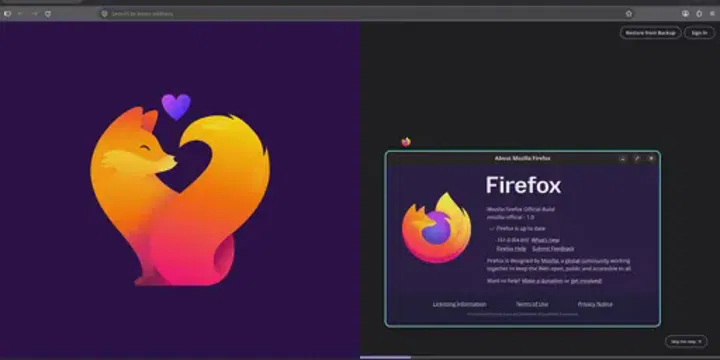
Mozilla Firefox 161 release binaries are now available for this newest bi-weekly feature release to this open-source web browser. Firefox 161 for developers adds support for the random() CSS function, support for nested arbitrary substitution functions, and support for the CSS Typed Object Model. Firefox 161 Firefox 161 adds the ability to create a shortcut now for easily copying the current tab's URL. By default no shortcut is assigned by default but from the shortcuts area is the ability to add a key combination if frequently wanting to copy the current tab's URL. Firefox 161 shortcuts There is also now a "classic themes" section in the themes area of Firefox. The classic themes section includes the likes of the older Proton theme from prior Firefox versions, a Firefox OLED theme, and more. Firefox 161 classic themes Firefox's built-in VPN also now allows turning it on or off for specific sites. This is a convenient helper if wanting to only use their VPN service when accessing certain sites or using it everywhere except for excluding it from select sites. The Firefox 161 release binaries and more details on this new version via ftp.mozilla.org.
Stalwart 1.2 Offers Open-Source Microsoft Exchange Replacement
Stalwart, the open-source mail and collaboration server written in Rust, has released version 1.2, introducing compatibility with Microsoft Exchange protocols. The update lets organizations replace their Exchange infrastructure with a self-hosted solution while continuing to use familiar email clients, including Microsoft Outlook. The main addition is support for MAPI over HTTP, Exchange Web Services, Exchange ActiveSync, and Autodiscover. These protocols allow Exchange-compatible clients to connect to Stalwart and access email, calendars, contacts, tasks, and notes through a single account. Most importantly, Exchange compatibility is available in Stalwart’s free, AGPL-licensed Community edition, rather than being restricted to a commercial offering. For Windows users, the new MAPI over HTTP implementation supports Outlook 2016 and later, including Outlook distributed with Microsoft 365 Apps. It covers essential Exchange functionality, including shared mailboxes, delegated access, calendar synchronization, address books, inbox rules, and read receipts. On other platforms, EWS compatibility enables integration with Outlook for Mac, Apple Mail, Thunderbird, Evolution, and other supported applications. Exchange ActiveSync provides synchronization with native email applications on Android, iPhones, and iPads. Stalwart also implements Microsoft’s Autodiscover protocol, allowing users to configure compatible clients using their email address and password without manually entering server settings. Exchange protocols operate alongside Stalwart’s existing support for open standards, including IMAP, JMAP, CalDAV, and CardDAV. For example, an email moved into a folder through Outlook continues to be accessible from an IMAP client, while calendar changes made on a phone are reflected in CalDAV applications. However, there are some limitations. The new Outlook for Windows is not supported because Microsoft does not allow it to connect directly to on-premises Exchange servers. Stalwart also lacks certain Exchange capabilities, including public folders, archive mailboxes, mobile device management, and NTLM/Kerberos authentication. For organizations planning migration, Stalwart provides Vandelay, an import and export utility capable of transferring data from on-premises Exchange Server installations and Microsoft 365. It uses EWS to import mail, calendars, and contacts from Exchange Server, while its Microsoft Graph integration can also retrieve OneDrive files from Microsoft 365. The developers designed Exchange compatibility as an optional component. Although included in official builds, it is disabled by default and can be excluded entirely when compiling Stalwart without the corresponding Cargo feature. In addition to Exchange compatibility, version 1.2 also introduces server-side mail rules configurable through the web interface, JMAP, or Outlook. Users can automatically move, forward, reject, or categorize incoming messages based on conditions. Calendar functionality has also improved with working-hour settings, organization-wide free/busy availability, and resource accounts for booking meeting rooms and equipment. On the backend, Stalwart features a native asynchronous FoundationDB client written in Rust, eliminating the dependency on Apple’s external client library. According to project benchmarks, it delivers 4.5 to 6.9 times higher throughput for point-read operations compared to the previous implementation. Finally, the project recently released Stalwart CLI 2.0, featuring a new terminal-based interactive administration interface for managing accounts, domains, server configuration, and monitoring without requiring a web browser. For more information, see the official announcement.

AI Slop-Free Open Source Projects Repository
image For more information on why we think this list matters, please see out Why not LLMs? file. Want to add, update, or remove a project listed below? Check out our Contributing Doc. See a project on here that you love, and wish wasn't on here? Check out our Guide for Removal and/or No AI Request Template. Ready to fork a project to introduce a No AI policy? Check out our How to Slop Free Fork Guide.

 View on programming.dev