🌉 bridged from @aclarke@lemmy.world by Tidepool

Dark-Alex-17
@aclarke.lemmy.world.ap.tdpl.io
- AIP- Managarr (an *arr CLI and TUI) now supports Readarr + compatible forks
image Managarr is a CLI (command-line) and TUI (Text-based User Interface) tool for managing all of your Servarr's in one place. This most recent release adds support for Readarr and several compatible forks. I know that Readarr has sadly been retired, however there's still community support in keeping the dream of Readarr alive. As such, extra time was put into this release to test out Managarr with four of those forks to ensure that in addition to the final release of Readarr, Managarr works with these other forks as well. So now, as long as a fork of Readarr still is compatible with the v1 Readarr API, Managarr can work with it too. I tested the following forks and made changes in Managarr to ensure support: • Bookshelf • Readarr-Resurrected • Librarr • Chaptarr In addition to Readarr (and forks), Managarr supports Radarr, Sonarr, and Lidarr. You can try it out for yourself without installing it by visiting the demo site if you'd like! This is a passion project of mine so I'd love to hear any and all feedback! And thanks to all who contributed to this release!
AI Use Disclosure
As per the release notes: AI was utilized in the development of this release in a couple ways: • Implementation: Assisted • Testing: Assisted • Review: Pair AI tools used: • Coyote
github.com
A tool to get Claude Code-style reliability from fully local models
I've been experimenting with local models via Ollama for a long time now, but one thing kept frustrating me: Smaller local models are actually a LOT more capable than people think, but they struggle with reliability. They lose focus, drift over long sessions, stop halfway through problems, and aren't great at breaking apart larger tasks. So, to try and fix that, I built Coyote. Loki is a local-first command line tool and runtime for building and running LLM workflows locally. It's model agnostic, works well with Ollama, and includes things like: • Agents and delegation • Workflow scripting • MCP servers • RAG • Roles/personas • Custom tools • Macros A lot of the architecture is specifically designed around improving the reliability of smaller models. So for example: • Auto-continuation to push models towards completion and prevent them from stopping halfway through a problem • Parallel agent delegation to reduce context overload and keep scope small • Workflow-based execution for more deterministic automations • Scoped agents to reduce context drift My long term goal with this project is basically: Get as close as possible to Claude Code-style reliability using fully local models. I'd love feedback from other Ollama users experimenting in this space and any tips/pointers/ideas of other things to add to make it function even better! Repo: https://github.com/Dark-Alex-17/coyote
Managarr (A Servarr CLI and TUI) now supports Lidarr!
Managarr v0.7.0 has been released with Lidarr support!
What is Managarr?
Managarr is a terminal-based application for managing all your Servarr instances from one place. It provides a user-friendly interface to interact with your media libraries, making it easier to manage your downloads, monitor your artists and albums, and perform various actions directly from the terminal. It sports two modes: a TUI mode (Text-based User Interface) and a CLI mode (Command Line Interface). TUI mode gives you an interactive User Interface right inside your terminal window, allowing you to navigate through your Sonarr and Radarr libraries, view details about your series and movies, and perform actions like adding or removing items, all through keyboard shortcuts. CLI mode lets you execute commands directly from the terminal to manage your Servarr instances without needing to open the TUI. This is great for quick tasks or for integrating with scripts and automation tools.
Screenshots
Try it out for yourself using the in-browser demo!
If you want to try it out for yourself without installing it first, you can use the Managarr demo-site: https://managarr-demo.alexjclarke.com/
What Lidarr operations are supported?
📚 Library Management
• Artist Library - Browse, search, filter, and sort your music collection • Add Artists ➕ - Search for new artists and add them with full config options (quality profile, metadata profile, root folder, monitoring options) • Edit Artists ✏️ - Tweak artist settings including quality profiles, metadata profiles, tags, and monitoring status • Delete Artists 🗑️ - Remove artists from your library with optional file deletion • Artist Details 🔍 - Get the full picture on any artist: • Overview, disambiguation, type, status, genres, and ratings • Album list with release dates, track counts, and download status • Artist history with detailed event info • Manual discography search with release selection and download
💿 Album & Track Management
• Album Details - Drill into individual albums to see: • Track listing with audio info (codec, channels, bitrate, sample rate, bit depth) • Album history • Manual album search for grabbing specific releases • Track Details 🎼 - View individual track info and history • Delete Albums - Remove individual albums from your library
⬇️ Downloads & Queue
• Downloads Tab - Keep an eye on active downloads and manage your queue • Blocklist 🚫 - View and manage blocked releases
📜 History
• Full History Support - Browse, search, filter, and sort Lidarr event history • History Details - Dig into the details of any history event • Mark as Failed ❌ - Mark history items as failed
🔎 Indexers
• Indexer Management - View, add, edit, and delete indexers • Indexer Settings ⚙️ - Configure global indexer settings • Test Indexers 🧪 - Test individual or all indexers at once
📁 Root Folders
• Root Folder Management - Add and manage root folders for your music library
🖥️ System
• System Status - View Lidarr system info and health checks • Tasks - View and trigger system tasks • Queued Events - Monitor queued system events • Logs 📋 - Browse system logs • Updates 🆙 - Check for and view available updates
⌨️ CLI Commands
Full Lidarr CLI support for all the things!
shell
managarr lidarr list artists|albums|tracks|indexers|root-folders|tags|quality-profiles|...
managarr lidarr get artist|album|track|...
managarr lidarr add artist|root-folder|tag|...
managarr lidarr edit artist|indexer|indexer-settings|...
managarr lidarr delete artist|album|root-folder|tag|blocklist-item|...
managarr lidarr search artist|album|...
managarr lidarr refresh artist|downloads|...
managarr lidarr trigger-automatic-search artist|album
managarr lidarr manual-search artist|album
Managarr also supports Radarr and Sonarr!
If you're running the full *arr stack, Managarr has you covered - It supports Radar and Sonarr too, all from the same interface! This is a passion project so I'd love to hear your feedback, feature requests, or any bug reports you find.
I've collected all my useful bash scripts and command aliases into one CLI, but I want more!
So I'm sure we've all spent time writing scripts or figuring out CLIs for that one project we're working on, and then kind of go on to forget what we did. Then, when another project comes along later, you wish you had that script again so you could see how you did that thing you did. Personally, I used to just check random scripts into a repo as a kind of "archive" of all my scripts. But I wanted a better way to organize and use these things. For years I've been building and collecting these scripts into a CLI that I call Devtools to make it so that each script is a subcommand. I've had a lot of my friends and coworkers ask me to open-source it so they could use it and see how some things are done in Bash, what tools I use, etc. So...here's that CLI! ——— But what I'd honestly like is more... So what are your useful scripts or CLIs you've built? Or what's that script you wrote years ago that you now swear by? Or what's that one application you use daily that just makes your life infinitely easier! I want to grow this collection and feed the addiction!
Loki - An All-In-One, Batteries Included LLM CLI
Introducing: Loki! An all-in-one, batteries-included LLM CLI tool
Loki started out as a fork of the fantastic AIChat CLI, where I just wanted to give it first-class MCP server support. It has since evolved into a massive passion project that's a fully-featured tool with its own identity and extensive capabilities! My goal is to make Loki a true "all-in-one" and "batteries-included" LLM tool. Check out the release notes for a quick overview of everything Loki can do!
What Makes Loki Different From AIChat?
• First-class MCP support, with support for both local and remote servers • Agents, roles, and sessions can all use different MCP servers and switching between them will shutdown any unnecessary ones and start the applicable ones • MCP sampling is coming next • Comes with a number of useful agents, functions, roles, and macros that are included out-of-the-box • Agents, MCP servers, and tools are all managed by Loki now; no need to pull another repository to create and use tools! • No need for any more
*.txtfiles • Improved DevX when creating bash-based tools (agents or functions) • No need to haveargcinstalled: Loki handles all the compilation for you! • Loki has a--build-toolsflag that will build your bash tools so you can run them exactly the same way Loki would • Built-in Bash prompting utils to make your bash tools even more user-friendly and flexible • Built-in vault to securely store secrets so you don't have to store your client API keys in environment variables or plaintext anymore • Loki also will inject additional secrets into your agent's tools as environment variables so your agents can also use secrets securely • Multi-agent support out-of-the-box: You can now create agents that route requests to other agents and use multiple agents together without them trampling all over each other's binaries • Improved documentation for all the things! • Simplified directory structure so users can share full Loki directories and configurations without massive amounts of data, or secrets being exposed accidentallyWhat's Next?
• MCP sampling support, so that MCP servers can send back queries for the LLM to respond to LLM requests. Essentially, think of it like letting the MCP server and LLM talk to each other to answer your query • Give Loki a TUI mode to allow it to operate like claude-code, gemini-cli, codex, and continue. The objective being that Loki can function exactly like all those other CLIs or even delegate to them when the problem demands it. No more needing to install a bunch of different CLIs to switch between! • Integrate with LSP-AI so you can use Loki from inside your IDEs! Let Loki perform function calls, utilize agents, roles, RAGs, and all other features of Loki to help you write code.
Managarr v0.6.0 is Out and now supports Themes, Vim keybindings, custom API headers, and more!
Managarr v0.6.0 has been released with some fun new features! Managarr is a terminal-based application for managing all your Servarr instances from one place. It provides a user-friendly interface to interact with your media libraries, making it easier to manage your downloads, monitor your series and movies, and perform various actions directly from the terminal. It sports two modes: a TUI mode (Text User Interface) and a CLI mode (Command Line Interface). TUI mode gives you an interactive User Interface right inside your terminal window, allowing you to navigate through your Sonarr and Radarr libraries, view details about your series and movies, and perform actions like adding or removing items, all through keyboard shortcuts. CLI mode lets you execute commands directly from the terminal to manage your Servarr instances without needing to open the TUI. This is great for quick tasks or for integrating with scripts and automation tools.
The biggest change: Managarr now has themes!
The UI has been completely overhauled to support themes! You can now customize the look and feel of Managarr to suit your preferences. Choose from a variety of themes to change the color scheme and overall aesthetic of the application. Here's just a few examples:
Default
Dracula
Watermelon Dark
watermelon-dark You can also customize the themes to your heart's content! Check out the themes documentation for more details on how to create and apply your own themes.
Features
• Added support for alternative Vim-like navigation keybindings (hjkl movements) Discussion #34 • Added support for terminal-like backspace operations (
Ctrl-hinstead ofBackspace) • You can now specify the number of downloads to fetch from the CLI:managarr <sonarr/radarr> list downloads --count 1234• You can now toggle movie monitoring from the CLI without needing to use theeditsubcommand:managarr radarr toggle-movie-monitoring --movie-id 1234#43 • You can also now toggle series monitoring from the CLI without needing to use theeditsubcommand:managarr sonarr toggle-series-monitoring --series-id 1234#43 • You can now also toggle movie/series monitoring directly from theLibraryview for each Servarr with themkey. No need to open theEdit [Series/Movie]modal anymore to simply toggle monitoring for an item! #43 • Users can now skip up/down tables 20 items at a time usingCtrl-dandCtrl-ukeys (mirroring the same functionality in the Helix editor). Alternatively, the standardPgUpandPgDownkeys are supported for the same operation. This is particularly useful for large libraries with many items #45 • The total disk usage for any given series is now displayed in theSeriesLibrary view to mirror Radarr functionality #44 • All keybindings and help tips have been refactored into a unified, dynamic menu that displays the available keybindings for the current view. This is accessible by pressing?in any view, and it will display the keybindings relevant to that view. #32 • Users can now add any number of custom headers to each Servarr's configuration, enabling support for OAuth and other custom authentication schemes for Servarr access #47Fixes
• Fixed a bug that caused the
Collection Detailsmodal to vanish when attempting to add a new film to a collection • Fixed a bug that caused the Radarr library to be rendered, then the Collections table to be rendered over it (merging the two), and then showing a popup which made for ugly and confusing UI • WrappedSeason.statisticswithOptionto prevent a panic if the season doesn't have any statistics (edge-case, only happens with outdated Sonarr data) #35 • Corrected a bug that caused double key presses on Windows machines #40 (Thanks @cwesleys!) • Defaulted to empty tags to improve fault tolerance within the Sonarr and Radarr UIs. This is in response to #42, #48. It seems like this may be a bug in Sonarr where a series can have an associated tag ID but that tag Id doesn't exist in the list of tags, but I still can't quite track it down. • Fixed an issue that caused some panics to occur when video codecs are undefined in file metadata #38 • More than 10 downloads will be listed in the Downloads tabs for both Radarr and Sonarr • Fixed a bug where Sonarr would have empty values on season releases for seeders/leechers instead of '0' • Fixed a bug where some Radarr films don't have studios associated with them, so thestudiofield is now nullable, preventing crashes when loading the Radarr librarySecurity Fixes
• Upgraded to the most recent version of Tokio to mitigate CWE-664 Improper Control of a Resource Through its Lifetime • Updated to the most recent patch of OpenSSL to mitigate CWE-416 Use-After-Free
Minor Changes
• Due to the new support for Vim-like navigation keybindings, the system logs are now opened using
Linstead ofl• Refactored the network module to be more idiomatic Rust and to improve maintainabilityDocumentation
• Update README.md to remove the cheeky Try Before You Buy heading since some users reported it as misleading; i.e. they thought it meant Managarr cost money. Managarr is and always will be, free As always, thank you to everyone who reported an issue or requested a feature! You all make it a LOT easier to keep up with breaking API and add new features. If you have any feedback or suggestions, please don't hesitate to open an issue or discussion on the GitHub repository.
Managarr v0.5.1 is Out with Multi-Instance support!
Managarr - A TUI and CLI to help you manage your Servarrs. Thanks to everyone who contributed to this release, be that in code, issues, or enhancement suggestions! You all help fuel my passion for working on this and it doesn't go unappreciated! 😄 As always, you can try out the changes yourself via the Managarr Demo Site
Breaking Changes
• Managarr now supports multiple instances of the same Servarr with custom names and ordering. (See Features below) To accommodate this, configuration files must be updated so that all Servarrs listed beneath
radarr,sonarr, etc., be updated to be lists, not individual Servarrs. For example: to migrate from the following config:radarr: host: 192.168.0.78 port: 7878 api_token: someApiToken1234 sonarr: host: 192.168.0.89 port: 8989 api_token: someApiToken1234
You would change the above configuration to the following:
radarr:
  - host: 192.168.0.78
    port: 7878
    api_token: someApiToken1234
sonarr:
  - host: 192.168.0.89
    port: 8989
    api_token: someApiToken1234
• The
--configflag has been renamed to--config-fileto make it more clear what it does.Features
• Users can now specify multiple instances of the same type of Servarr and give them custom names and ordering. This allows users to manage multiple instances of the same Servarr, such as an Anime and TV Show instance of Sonarr. To configure, add a list of Servarrs under the respective type (e.g.
radarr,sonarr, etc.). (#17) • You can specify ordering of your Servarrs and how they will appear in the UI via theweightfield. The lower the weight, the further to the left the Servarr will appear in the UI. • You can also name your Servarrs whatever you wish. This name will be displayed in the UI. For example, to name your Sonarr instances:sonarr: - name: Anime host: 192.168.0.89 api_token: someApiToken - name: TV Shows host: 192.168.0.88 api_token: someOtherApiToken• This change also required the introduction of a new CLI flag to specify which Servarr you wish to interact with:
--servarr-name. This corresponds directly to the value of thenamefield in your configuration. If you did not specify anamein the configuration, then default names are provided for you corresponding to the Servarr; For example, if you defined two Radarr instances with no names, they will be namedRadarr 1andRadarr 2, respectively. • Omitting the--servarr-nameflag with multi-instance configurations will default to using the first instance that appears in your config. For example, for the following configuration:sonarr: - host: 192.168.0.89 api_token: someApiToken - host: 192.168.0.88 api_token: someOtherApiTokenRunning
managarr sonarr list serieswill default to interacting with the Sonarr instance at192.168.0.89. This is the same as runningmanagarr sonarr list series --servarr-name 'Sonarr 1'. • API tokens can now be fetched from files instead of needing to be hardcoded (#31). The following is an example config that loads the API token from a file:radarr: - host: 192.168.0.78 api_token_file: /home/root/.config/radarr_token• Configurations now interpolate environment variables (#23). This allows you to load sensitive information from environment variables. For example, to load the API token from an environment variable, you can do the following:
radarr:
  - host: 192.168.0.78
    api_token: ${MY_RADARR_API_TOKEN_ENV_VAR}
This is available for all fields in the configuration file.
Security Updates
• Updated OpenSSL to v0.10.70 to mitigate CVE-2025-24898
Miscellaneous
• Managarr now has a Matrix space! Feel free to drop in and message me directly if you're looking to discuss features, ideas, or just want to say, "Hi!".
I present: Managarr with Sonarr support!
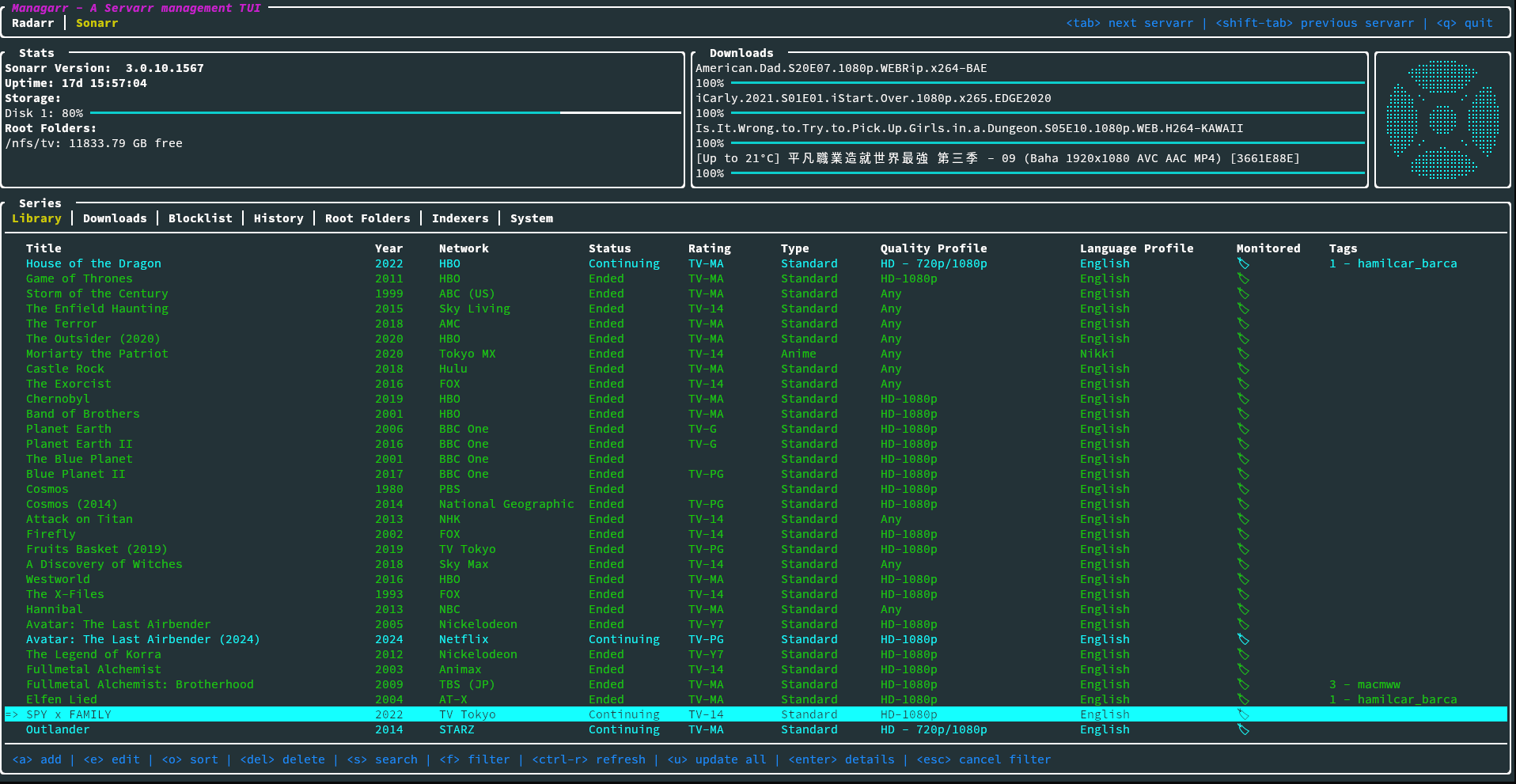
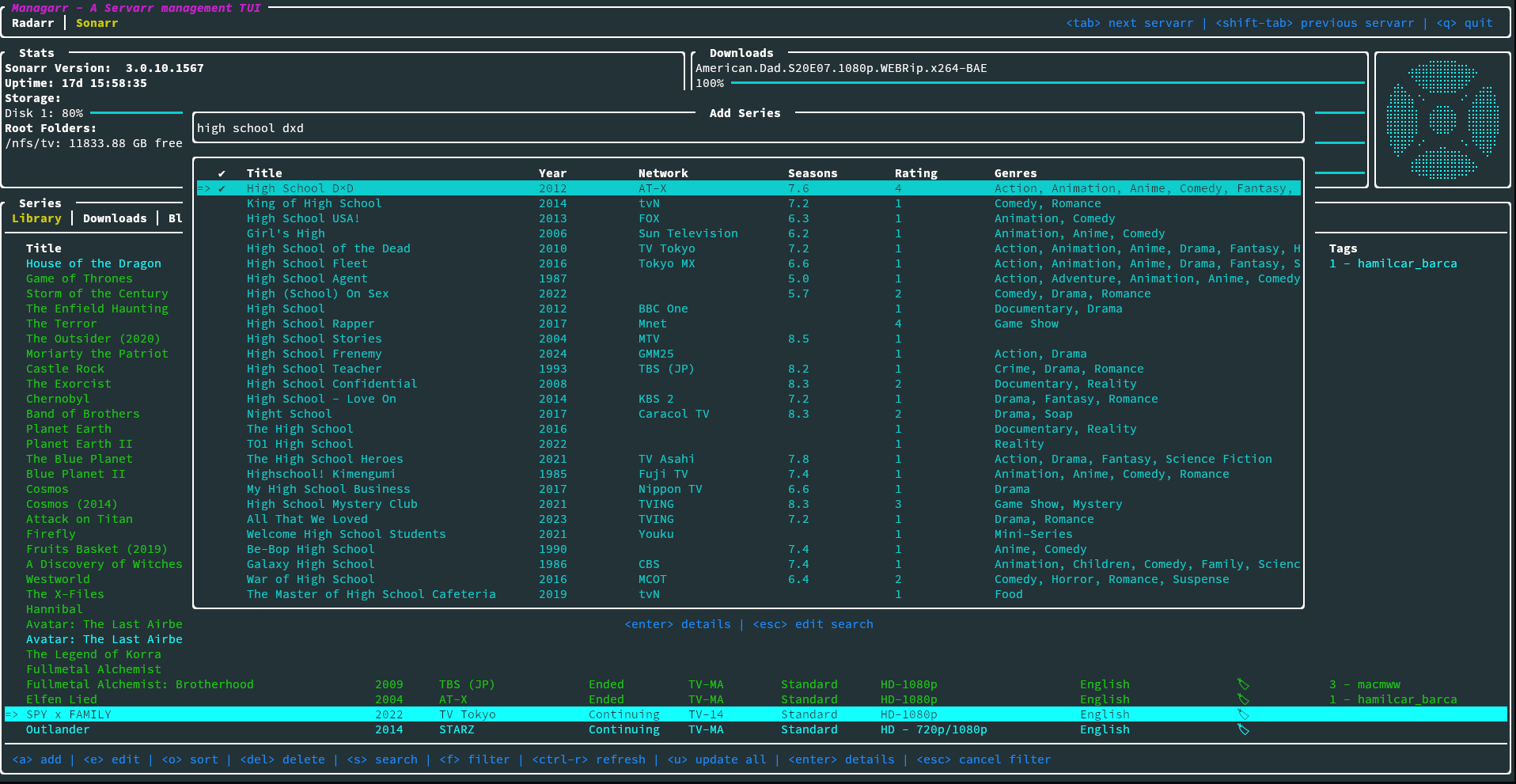
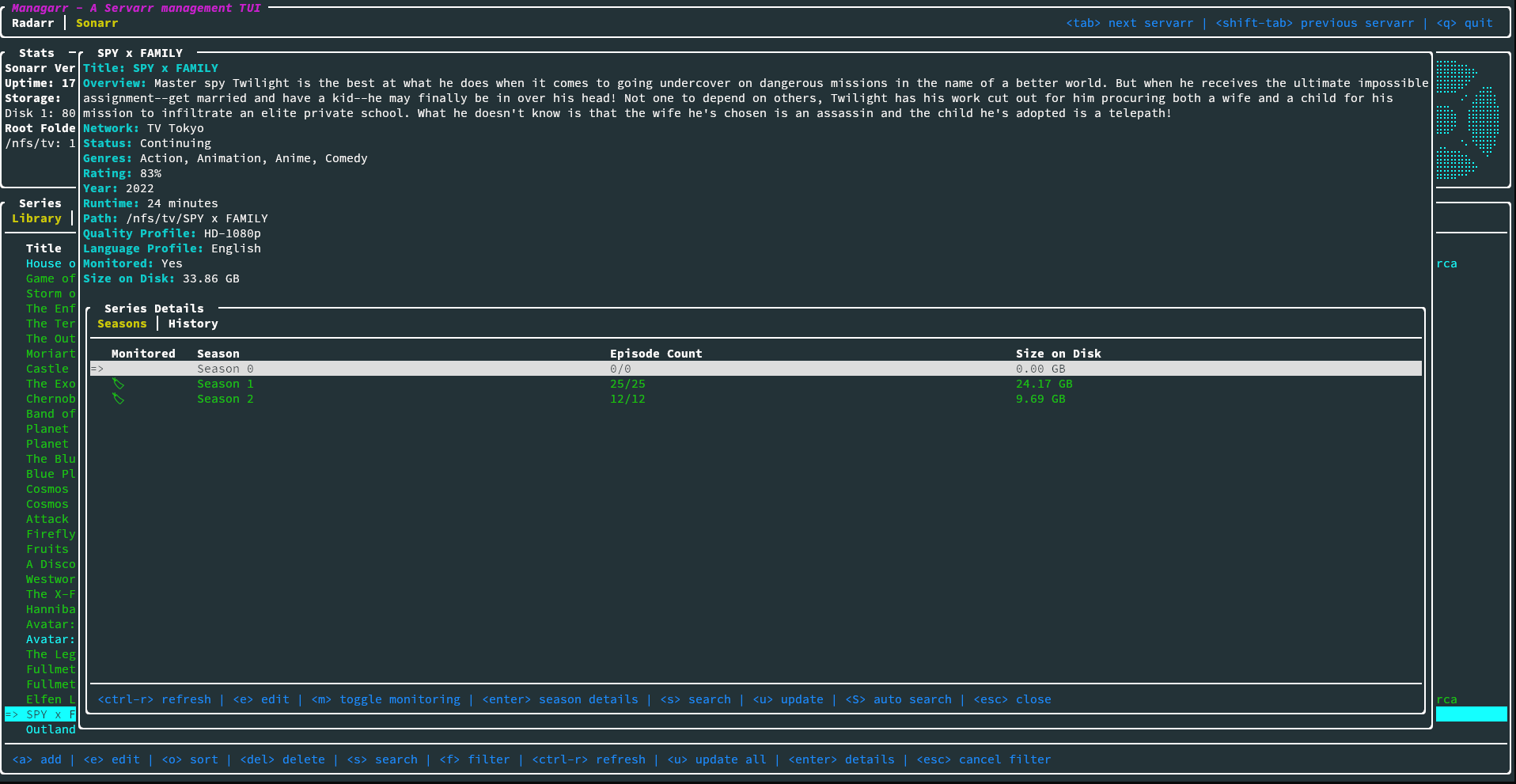
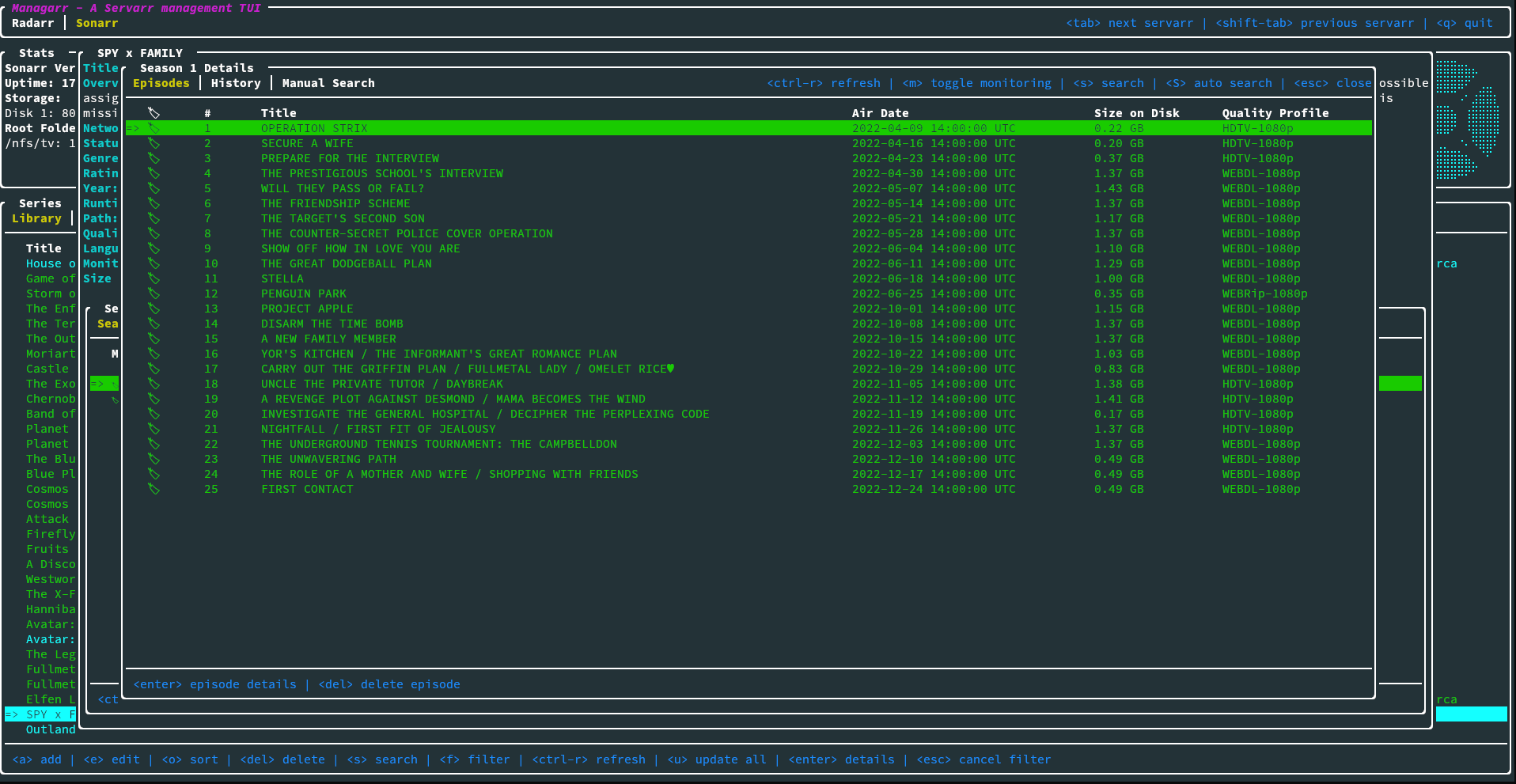
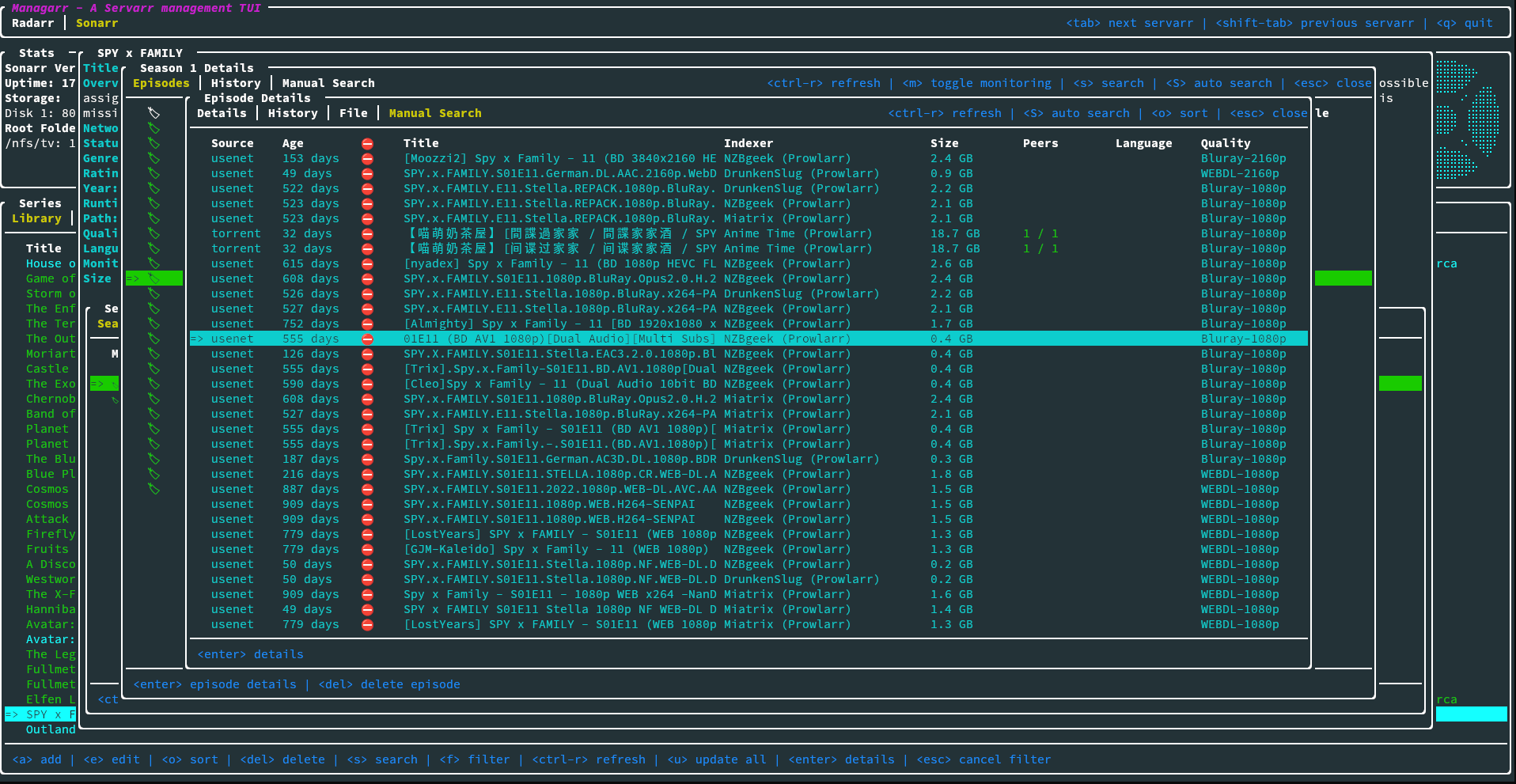
I was recently furloughed from work, so in between job applications, I decided to polish off Sonarr support in my Managarr TUI. Thus, I'm very proud to announce the beta release of Managarr with Sonarr support! TL;DR: Managarr is a TUI and CLI for managing your Servarr instances. As of now, it now supports both Radarr and Sonarr and all the features that are available in the UI are also available in the CLI for scripting and additional automation. The new version has the following features: • Wider platform support (Windows, Mac, Linux, x86_64 and arm64) • View your library, downloads, blocklist, episodes • View details of a specific series, or episode including description, history, downloaded file info, or the credits • View your host and security configs from the CLI to programmatically fetch the API token, among other settings • Search your library • Add series to your library • Delete series, downloads, indexers, root folders, and episode files • Trigger automatic searches for series, seasons, or episodes • Trigger refresh and disk scan for series and downloads • Manually search for series, seasons, or episodes • Edit your series and indexers • Manage your tags • Manage your root folders • Manage your blocklist • View and browse logs, tasks, events queues, and updates • Manually trigger scheduled tasks • Manually trigger scheduled tasks • And more! Here's some screenshots of the Sonarr tab: image image image image image Thanks to everyone's feedback when I first posted the alpha release here, this version sports a handful of additional performance improvements and platform support. This is now technically in beta, so if anyone encounters any issues, please let me know!
I present: Managarr - A TUI and CLI to help you manage all your Servarrs!
After almost 3 years of work (mostly due to work being crazy busy), I've finally managed to get this project stable enough to release an alpha version! I'm proud to present Managarr - A TUI and CLI for managing your Servarr instances! At the moment, the alpha version only supports Radarr. Not all features are implemented for the alpha version, like managing quality profiles or quality definitions, etc. Here's some screenshots of the TUI: image image image image image image image Additionally, you can use it as a CLI for Radarr; For example, to search for a new film:
managarr radarr search-new-movie --query "star wars"Or you can add a new movie by its TMDB ID:managarr radarr add movie --tmdb-id 1895 --root-folder-path /nfs/movies --quality-profile-id 1All features available in the TUI are also available via the CLI.Tent got your tongue?